
 English
 Español
Contact Center QA Trend Analysis
Learn how to validate contact center QA trends, investigate what is changing, and turn quality findings into focused coaching, learning, and knowledge updates.
Read More
Find the best customer service software solutions for your team. Compare top platforms, must-have features, and tips for choosing the right fit.

Your contact center is sitting on a mountain of data. Every call, chat, and email provides insight into customer needs and agent performance. But collecting that data is the easy part. The real challenge is turning those insights into meaningful action. If your quality scores live in one system and your coaching plans in another, you’re missing the opportunity to drive real improvement. The best customer service software solutions bridge this gap. They don’t just show you what happened in an interaction; they help you build a clear path forward with targeted coaching and training. This guide explores the features that transform data from a simple report card into a powerful engine for team development and better customer outcomes.
At its core, customer service software is a tool designed to help your business manage and respond to customer interactions. Think of it as a central hub where all your customer conversations from different channels, like email, chat, and phone calls, come together. This unified view allows your support teams to provide quick, consistent, and personalized help to many customers at once without losing track of who said what.
So, why is this so important? Because great customer service builds trust. When customers feel heard and their problems are solved efficiently, they’re more likely to stick around. This software makes things easier not just for your customers, but for your agents, too. By organizing requests and providing context on past interactions, it helps your team work more effectively and reduces the friction that can lead to frustrating experiences on both sides.
Many modern customer service tools also lean on AI and automation to streamline support processes. This can be as simple as using saved replies for common questions or as advanced as using smart bots to handle entire conversations. By automating routine tasks, you free up your agents to focus their expertise on more complex issues that require a human touch.
Ultimately, the right software does more than just organize incoming messages. It provides the foundation for a high-performing team by streamlining support processes and improving overall customer satisfaction. It’s the engine that helps you turn customer interactions into valuable data, which can then be used for everything from agent coaching to connected quality assurance. When your tools and your team are in sync, you create positive experiences that keep customers coming back.
When you're evaluating different platforms, certain features are non-negotiable for running a modern, effective customer service operation. These core capabilities separate the basic tools from the truly transformative ones. They help you create better experiences for your customers while making your team’s work more streamlined and impactful. Look for software that not only solves today's challenges but also provides a foundation for future growth. A great platform should empower your team with the right information, automate routine tasks, and offer clear insights into performance. Here are the essential features to look for.
Your customers reach out through various channels, from email and chat to social media and phone calls. The best customer service software brings all these conversations into a single, unified dashboard. This helps your team provide quick, personal support without juggling multiple tabs and systems. When agents have a complete view of a customer's history, they can resolve issues more effectively, which builds trust and makes the entire experience feel seamless. Centralizing communications also applies to your internal team. A strong Communications Hub ensures that important updates and process changes reach your agents consistently, keeping everyone aligned and informed.
Automation is key to helping your team work smarter, not harder. Modern customer service software uses AI to handle repetitive tasks that can slow agents down. For example, AI can draft replies to common questions, summarize long conversation threads for context, and automatically categorize and route incoming tickets to the right person or department. This frees up your team to focus on more complex customer issues that require a human touch. Beyond customer interactions, automation can also streamline internal processes, such as assigning follow-up training after a quality review or flagging coaching opportunities based on performance data.
A robust knowledge base serves two critical audiences: your customers and your agents. For customers, it provides a self-service option to find answers on their own, which can significantly reduce the number of incoming support requests. For agents, it’s a single source of truth, ensuring they provide accurate and consistent information every time. A top-tier Knowledge Management system is essential, especially one with version control. This feature is vital in regulated industries, as it tracks who created, changed, and approved content, providing a clear audit trail and ensuring compliance.
You can't improve what you don't measure. Effective customer service software must include powerful analytics and reporting tools. These features show you how your team is performing against key metrics, from response times to customer satisfaction scores. The best platforms allow you to create custom reports and examine specific details to understand performance trends. But collecting data is only the first step. The real value comes from turning those insights into action. A system with Connected Quality Assurance helps you identify not just what happened in an interaction, but why it happened, creating clear opportunities for targeted coaching and improvement.
No software operates in a vacuum. Your customer service platform should integrate smoothly with the other tools you rely on, like your CRM or workforce management system. This creates a connected ecosystem where data flows freely, giving you a holistic view of both customer interactions and agent performance. Features that support teamwork, such as shared inboxes and internal collaboration tools, are also important for keeping everyone on the same page. When your systems are integrated, you can pull data from multiple sources to inform a more complete approach to Dynamic Coaching, addressing an employee’s overall performance, not just one-off interactions.
With so many options available, finding the right software can feel overwhelming. Each platform has its own strengths, whether it’s managing conversations across different channels or diving deep into team performance. To help you get started, here’s a look at some of the top solutions and what makes each one stand out.
C2Perform is designed for teams that want to turn quality data into real, measurable performance improvements. While many platforms focus only on analyzing customer interactions, C2Perform connects the dots between quality assurance, coaching, and learning. It helps you operationalize insights by creating targeted Dynamic Coaching sessions and assigning relevant training content automatically.
This approach supports the whole employee, not just their last call. It considers everything from performance metrics to career development goals. For contact centers in regulated industries, features like version control in the Knowledge Management system are critical for compliance. It’s a great fit for organizations that already have tons of data but need a system to drive meaningful action and consistent development across their teams.
Zendesk is known for its ability to create a unified customer service experience. It excels at bringing all your customer conversations from email, chat, social media, and other channels into a single, manageable view. According to Zendesk, its platform uses AI to help businesses handle customer requests from the very first interaction. This is ideal for teams that need to manage a high volume of inquiries from various sources without losing track of context. If your main goal is to streamline communication and ensure no customer message gets missed, Zendesk offers a robust solution for centralizing your support efforts.
Freshdesk stands out as a user-friendly help desk that’s particularly strong when it comes to integrations. According to The CX Lead, it’s one of the best for connecting with a wide range of other applications. This makes it a flexible choice for teams that rely on a diverse tech stack to get their work done. If you need a straightforward, intuitive system that can easily plug into the tools your team already uses, Freshdesk provides a solid foundation. Its focus on simplicity and connectivity helps teams get up and running quickly without a steep learning curve.
For businesses already using HubSpot’s ecosystem, the Service Hub is a natural fit. Its biggest advantage is its seamless integration with the HubSpot CRM. As noted by Zapier, this gives your team a full view of every customer interaction across marketing, sales, and service departments. This complete picture allows for more personalized and context-aware support. When your service agents can see a customer’s entire history with your company, from their first website visit to their latest purchase, they are better equipped to provide exceptional help. It’s a powerful choice for creating a truly unified customer journey.
Salesforce Service Cloud is a powerhouse built for large, complex organizations. It’s designed to operate within the broader Salesforce ecosystem, providing what Zapier calls a "360-degree view" of the customer. This platform is a strong contender for enterprise teams that need a scalable, all-in-one system to manage vast amounts of customer data and intricate service processes. For businesses already invested in Salesforce for sales or marketing, adding the Service Cloud can create a deeply integrated environment that connects every facet of the customer relationship, making it a go-to for full-scale operations.
Help Scout is designed with teamwork in mind. It shines in environments where collaboration is key to resolving customer issues effectively. The platform features a shared inbox that helps teams manage conversations without stepping on each other’s toes. According to Zapier, it’s one of the best tools for team collaboration, offering useful AI features to help manage email workflows. If you’re looking for a tool that feels more like a shared workspace than a rigid ticketing system, Help Scout provides the simplicity and collaborative features needed to help your team work together and deliver great customer support.
Choosing a new software platform is a big decision, and it’s about more than just a list of features. You’re looking for a partner that will fit your team’s workflow, grow with your business, and ultimately make everyone’s job a little easier. As you evaluate your options, focus on these three key areas to find the right fit.
Every platform will promise to solve your problems, but the right one will have features that fit how your team actually works. Look for a system that lets you manage all customer conversations, whether from email, chat, or social media, in one unified place. This prevents agents from having to switch between multiple tabs and helps ensure no customer query gets lost. Beyond managing conversations, consider how the software helps you understand performance. Good reporting tools give you the data you need to see what’s working and where your team can improve.
Also, think about how a new platform will connect with the tools you already use. The best systems offer seamless software integrations, like your CRM or internal communication apps. This creates a single source of truth and streamlines workflows across different departments.
The platform you choose today should be able to support you tomorrow and beyond. As your business grows, your customer service needs will change. You might add more agents, expand to new communication channels, or handle a higher volume of inquiries. A scalable platform can adapt to these changes without requiring you to switch to a new system.
When you think about scalability, consider if the software is designed for a business of your size and type. Some tools are built for small ecommerce shops, while others are better suited for large enterprise teams. Make sure the platform you’re considering has a clear path for growth that aligns with your business goals. This will save you a lot of headaches down the road.
Your agents are on the front lines every day, and their experience with the software directly impacts the quality of service they can provide. A clunky, confusing interface can lead to frustration and slower response times. Look for a platform with an intuitive design that makes it easy for agents to find information and manage their tasks efficiently. A well-designed system empowers your team to resolve customer issues on the first try.
A strong knowledge management system is a huge part of this. When agents can quickly pull up accurate, approved information, they can answer questions with confidence. This not only improves customer satisfaction but also makes your agents feel more supported in their roles. The goal is to find a tool that helps your team succeed, not one that just adds another layer of complexity.
Selecting the right customer service software is about more than just comparing feature lists. It’s about finding a solution that fits into your existing workflows and helps you achieve your specific operational goals. The best platform for your team will feel like a natural extension of your strategy, helping you support agents and deliver better customer outcomes.
To find that perfect fit, you need a clear evaluation process. It starts with looking inward to understand what your team truly needs. From there, you can assess potential partners based on their security protocols and their ability to support your team through implementation and beyond. Let’s walk through the three essential steps to making a confident decision.
Before you even look at a demo, take time to map out your team’s specific needs. Every contact center is different. You might be struggling with high call volumes, managing multiple communication channels, or trying to improve agent performance with a lean team. It's important to pick software that fits your specific needs and solves your most pressing problems.
Start by documenting your current processes and identifying the biggest friction points. Are agents spending too much time searching for information? Is your quality assurance process inconsistent? Make a list of must-have features, like a centralized knowledge management system with version control or integrated coaching tools. This requirements list will become your scorecard for evaluating different platforms and keeping your search focused on what really matters.
In customer service, you’re handling sensitive customer data every day. That’s why security and compliance can’t be an afterthought. As you evaluate software, look for a company that prioritizes strong security to keep that information safe. Ask potential vendors about their data encryption standards, access controls, and how they protect against breaches.
If you operate in a regulated industry like finance or insurance, this step is even more critical. You’ll need a platform that supports industry-specific compliance requirements, such as GDPR, HIPAA, or SOC 2. Be sure to ask about features like audit trails and version control within their quality assurance tools, which are essential for demonstrating compliance and maintaining accurate records.
The most powerful software is useless if your team doesn’t know how to use it. A smooth rollout and thorough training are key to getting a return on your investment. Employee training equips customer service representatives with essential skills and confidence in the new tools. Ask vendors what their implementation process looks like. Do they offer dedicated onboarding support? What kind of training materials are available?
Look for a partner that provides ongoing resources to help your team succeed long-term. This could include regular training sessions, workshops, and access to online tutorials. A platform with built-in learning management or coaching features can also make it easier to get new agents up to speed and keep your entire team aligned on best practices.
When we talk about AI and automation in customer service, it’s not about replacing the human touch. It’s about enhancing it. These technologies are incredible at handling the repetitive, time-consuming tasks that can bog down your team. By automating routine processes, you free up your agents to focus their energy on solving complex customer problems where their expertise truly shines. Think of it as giving your team a powerful assistant that manages the administrative load, allowing them to be more present and effective in their conversations.
The real magic happens when you use automation to gather performance insights. Modern customer service software can analyze interactions, track key metrics, and identify trends across your entire operation. But collecting data is only half the battle. Many organizations find themselves drowning in information without a clear path to improvement. The goal is to connect those insights to action. The best platforms don't just show you what's happening; they help you understand why it's happening and guide you on how to improve. This creates a powerful feedback loop that supports continuous agent development, turning raw data into tangible coaching moments and consistently better customer outcomes.
One of the most immediate ways AI can help your team is by intelligently managing incoming customer conversations. Instead of manually sorting through a crowded inbox, AI can automatically categorize tickets based on keywords, sentiment, or intent and route them to the agent with the right skills to solve the problem. This gets customers to the right person faster, which is a huge win for first-contact resolution.
Beyond routing, AI can also act as a co-pilot for your agents. It can summarize long conversation threads, suggest relevant articles from your knowledge base, and even draft replies to common questions. This doesn't take away the agent's control; it simply gives them a head start, ensuring responses are quick, consistent, and accurate. This support helps reduce handling times and allows agents to manage their workload more effectively.
Monitoring performance is essential for any contact center, but manual quality assurance can be incredibly time-consuming. Automation streamlines this process by analyzing interactions at scale, giving you a much broader view of your team's performance. Instead of relying on a small, random sample of calls, you can get insights from a much larger dataset, helping you spot trends and identify coaching opportunities more reliably.
However, the data from automated scoring is just a starting point. The most effective approach is to integrate this information into a holistic performance management system. A connected quality assurance program links QA scores directly to coaching sessions and training modules. This way, feedback isn't just a number on a scorecard; it's a clear, actionable step toward helping your agents grow and succeed in their roles.
Once you're consistently gathering performance data, you can start using it to look ahead. Predictive analytics helps you move from a reactive to a proactive operational model. By analyzing historical data, these tools can identify patterns that might signal future challenges, such as a rise in customer complaints about a specific issue or an agent who may be at risk of burnout. This foresight allows you to address potential problems before they impact your customers or your team.
This proactive approach is especially powerful when tied to agent development. For instance, if the system flags a recurring knowledge gap across the team, you can automatically assign a refresher course. If an individual agent is struggling with a particular call type, you can schedule a targeted coaching session to provide personalized support. Using analytics this way helps you build a culture of continuous improvement where your team is always equipped to meet the next challenge.
Choosing the right customer service software isn't a one-size-fits-all decision. The platform that works wonders for a small online shop might not have the features a large insurance company needs. Your industry, company size, and specific operational structure all play a huge role in determining the best fit. A B2B company with complex client relationships has different priorities than a high-volume contact center focused on first-call resolution. The key is to match the software's strengths to your operational realities.
To find a solution that truly supports your team, you need to look beyond generic feature lists and marketing claims. Think about the unique demands of your business. Do you operate in a highly regulated industry where compliance is non-negotiable? Do you manage both a contact center and a back-office team that need to work in sync? Are you planning for significant growth in the near future? Answering these questions will help you narrow down the options and find a platform that solves your specific challenges, rather than creating new ones. The goal is to find a system that feels like it was built just for you, one that integrates smoothly into your existing workflows and empowers your team to do their best work.
Different businesses need different tools. A platform designed for a small team might lack the robust reporting and workflow automation a large enterprise requires. On the other hand, an enterprise-level system could be overly complex and cumbersome for a startup. As you evaluate options, think about both your current team size and where you expect to be in the next few years. A scalable platform allows you to add new users, teams, and features as you grow, ensuring you won't have to switch systems down the line. Look for a solution that can support your business at every stage of its development.
Effective customer service often involves more than just the front line. Good software helps team members work together on tricky customer issues, share notes, and hand off tasks smoothly between departments. For businesses with both contact center and back-office operations, a unified platform is essential. When your quality assurance tools are connected to your coaching and training modules, you create a seamless loop of feedback and improvement. This integration breaks down silos, ensuring everyone is working with the same information and toward the same goals, which ultimately leads to a better customer experience.
If you work in a regulated field like finance, insurance, or utilities, compliance isn't just a suggestion, it's a requirement. The right software can be a powerful ally in meeting these standards. Look for platforms with strong security protocols to keep sensitive information safe. Features like version control within a knowledge management system are also critical, as they provide a clear audit trail of who created and approved content. This ensures your agents are always providing accurate, compliant information and that you can prove it when needed.
Once you have a shortlist of potential software solutions, it’s time to do your homework. A little research upfront can save you a lot of headaches later. The best approach combines objective analysis with real-world feedback and hands-on testing. By looking at a platform from multiple angles, you can get a clear picture of how it will work for your team and whether it will truly help you meet your goals. Here are three practical steps you can take to evaluate your options and make a confident decision.
Professional review sites are a great starting point for your research. They offer comprehensive comparisons of different customer service software, helping you see how platforms stack up on features, usability, and support. More importantly, these sites collect user reviews and ratings, which give you a window into the software's performance in real-world situations. Reading through feedback from current users can highlight both the strengths and the potential challenges of a platform. It’s an effective way to get an unbiased look at how a tool functions day-to-day, beyond the polished marketing materials. These B2B software reviews can help you spot trends and identify which platforms are consistently praised by teams like yours.
While review sites are useful, nothing beats a conversation with someone who has walked in your shoes. Reaching out to your professional network can provide some of the most honest and relevant feedback you’ll find. Engaging with peers on LinkedIn or in industry-specific communities can be incredibly helpful. You can ask targeted questions about how a platform handles high volumes of customer inquiries or integrates with other tools. These discussions often uncover practical advice and insights you won't find anywhere else. It’s the best way to understand how a solution might fit your specific operational needs, whether you have a large contact center or a smaller, specialized back-office team.
After you’ve gathered reviews and feedback, it’s time to see the software in action. Most providers offer free trials or demos, giving you a chance to get your hands on the product before making a commitment. This is your opportunity to test the features that matter most to your team. Can you easily build a workflow? How intuitive is the agent interface? This hands-on experience is essential for confirming if the software meets your requirements. A live demo also allows you to ask specific questions about how the platform supports key functions like Connected Quality Assurance or agent coaching. Use this time to make sure the solution can handle your unique challenges.
What's the real difference between a simple help desk and a more comprehensive platform? A help desk is primarily designed to organize and manage customer conversations. A more comprehensive platform does that, but it also connects those interactions to your team's development. It helps you turn performance data into tangible improvement by linking quality scores directly to targeted coaching sessions and training. It’s less about just tracking tickets and more about building a high-performing team.
My team is already struggling with their current tools. Won't new software just make things more complicated? That’s a very real concern, and it’s why focusing on the agent experience is so important when choosing a platform. The right software should actually reduce complexity. When a system is intuitive and provides a single source of truth, like a reliable knowledge base, it makes an agent's job easier. The goal is to find a tool that empowers your team to solve customer issues efficiently, not one that adds another layer of frustration.
We already use a tool for quality assurance. Why would we need something else? Many tools are great at scoring interactions, but that data often lives in a silo. A connected quality assurance system takes that information and makes it actionable. It integrates your QA scores with coaching and learning tools, so a low score on a specific metric can automatically trigger a follow-up coaching session or assign a relevant training module. This creates a clear and consistent process for helping your agents improve.
How important is AI, really? Is it just a buzzword? It's easy to get lost in the hype, but AI offers very practical benefits for customer service teams. Think of it as a smart assistant that handles repetitive tasks. It can automatically route inquiries to the right agent, summarize long conversations for context, or suggest replies to common questions. This frees up your team to focus their expertise on more complex problems where a human touch is essential.
We're in a regulated industry. What's the one feature we absolutely can't overlook? For any business that needs to meet strict compliance standards, version control within your knowledge management system is critical. This feature provides a clear and permanent record of who created, changed, and approved any content your agents share with customers. It ensures your team is always working with accurate, compliant information and gives you the audit trail to prove it.
Check out our eBook, New Thinking About an Old Problem


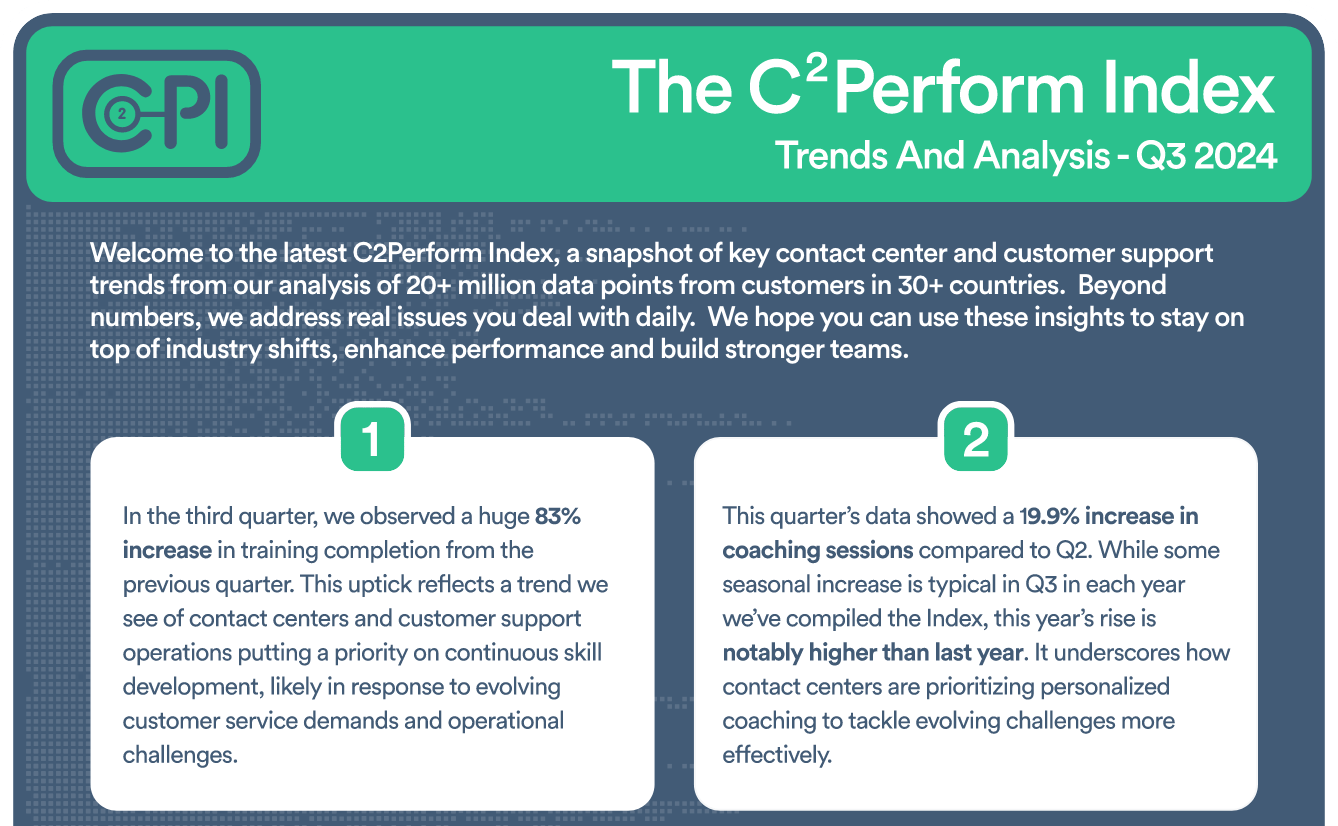
Join contact center and customer support professionals around the world who can’t wait to see the C2PI every quarter.


300 Colonial Center Drive, Suite 100
Roswell, GA 30076
Copyright © 2026 C2Perform. All Rights Reserved. Privacy Policy Acceptable Use Policy