
 English
 Español
Claims Processing Systems: A Rollout Plan
A claims processing systems rollout guide covering workflow readiness, knowledge migration, role-based learning, QA governance, and adoption.
Read More
employee engagement strategies
Find the best employee journey mapping tool for your team. Compare top options, features, and tips to improve employee experience and retention.

You have the survey data and the exit interview notes, but you’re still missing the full story. You know what is happening—maybe engagement is down or turnover is up—but you can’t quite pinpoint why. Employee journey mapping is the process of stepping into your team’s shoes to see your organization from their perspective, from their first interview to their last day. It connects the dots between isolated events to reveal the moments of friction and frustration that data alone can’t show. A great employee journey mapping tool helps you visualize this entire path, turning abstract feedback into a clear, actionable roadmap for improvement.
Think of employee journey mapping as creating a detailed roadmap of a team member's entire experience with your company. It’s a way to visualize their path from the moment they apply for a job to their very last day. This process isn't just about listing steps; it's about stepping into your employees' shoes to understand their thoughts, feelings, and challenges at every key touchpoint. By doing this, you can effectively measure the employee experience and see your organization from their perspective.
So, why does this matter? The ultimate goal is to make your employees happier, more productive, and more likely to stay with your company long-term. A journey map helps you move from guessing what your team needs to knowing what they need. It reveals the specific moments where an employee might feel unsupported, confused, or demotivated—like a clunky onboarding process or a lack of clear feedback. Once you identify these friction points, you can introduce targeted support, like dynamic coaching, to help them get back on track and feel valued.
Mapping the employee journey is a powerful strategic tool that provides deep, qualitative insights into your workplace culture. It helps you understand the "why" behind your metrics, like turnover rates or engagement scores. When you know where the problems are, you can fix them proactively instead of reacting after you’ve already lost a great employee. By creating a supportive and clear path for your team, you foster loyalty, improve performance, and build a stronger, more resilient organization.
Choosing the right employee journey mapping tool can feel overwhelming, but it boils down to finding a platform that fits your team's needs and goals. You're not just buying software; you're investing in a better way to understand and support your employees. The best tools are more than just digital whiteboards. They help you gather meaningful feedback, visualize complex experiences, and connect insights directly to your performance and HR systems.
As you evaluate your options, think about the entire process. How will you collect data? Who needs to collaborate on the maps? How will you turn your findings into action? A great tool should make each of these steps easier, not more complicated. Look for a solution that offers a clean, intuitive interface that your team will actually want to use. It should also provide robust features for creating detailed employee personas, integrating with your existing tech stack, and analyzing the results to track your progress. Ultimately, the goal is to find a tool that helps you move from simply mapping the journey to actively improving it.
A powerful tool is useless if no one on your team can figure out how to use it. Prioritize a platform with a clean, intuitive interface that minimizes the learning curve. The best options often come with ready-to-use templates for key employee experiences, sometimes called "Moments that Matter." These templates for onboarding, performance reviews, or promotions give you a solid starting point, saving you time and making the process feel less daunting. A straightforward design ensures your team can focus on the insights, not on fighting with the software.
Your journey map is only as good as the data behind it. A top-tier tool should include features for collecting both quantitative and qualitative feedback directly from your employees. This could be through integrated surveys, feedback forms, or polls. The platform should help your teams understand employee processes, identify friction points, and ensure everyone involved is on the same page. Having a central place to gather and analyze this information is essential for creating accurate and actionable maps that reflect the real employee experience.
The core of journey mapping is visualization. Your tool needs strong visual capabilities that allow you to create clear, compelling maps. Look for features like drag-and-drop editors, customizable icons, and the ability to add notes, images, and files. A key feature is the ability to create employee "personas" for different roles or demographics, like new hires or remote workers. This helps you step into their shoes to understand their unique goals, challenges, and motivations, leading to more empathetic and effective solutions.
To get the most out of your journey mapping efforts, the tool should connect with your existing systems. An integrated platform prevents data silos and allows you to see the bigger picture. When your journey map can pull data from your HRIS or sync with your performance management system, you can directly link employee experiences to outcomes like engagement, productivity, and retention. This integration turns your map from a static document into a dynamic tool for driving meaningful change across the entire employee lifecycle.
Employee journey mapping is a team sport. Your chosen tool must support real-time collaboration, allowing multiple stakeholders from HR, operations, and leadership to contribute simultaneously. Look for features like shared workspaces, commenting, and version history to keep everyone aligned. Beyond collaboration, the tool needs strong analytics. You should be able to track key metrics, identify trends over time, and generate reports that demonstrate the impact of your initiatives. This data is crucial for proving ROI and making informed decisions.
Once you're ready to start mapping, you'll find a wide range of tools available. Some are specialized platforms built specifically for employee experience, while others are flexible, all-purpose tools that can be adapted for the task. The right choice depends on your team’s size, budget, and specific goals. Are you looking for a simple visual whiteboard for a brainstorming session, or do you need a comprehensive system that integrates with your existing HR software? Here’s a look at some of the best options to help you visualize and improve your employee journey.
While many tools focus solely on mapping, C2Perform is a complete performance management platform that helps you manage the entire employee lifecycle. It’s designed to give you a holistic view of employee engagement and productivity by integrating metrics from different areas. Instead of just visualizing the journey, you can actively improve it with tools for Dynamic Coaching, knowledge management, and quality assurance. This makes it a great fit for organizations that want to connect their journey mapping efforts directly to performance outcomes and provide consistent support at every stage, from onboarding to ongoing development.
UXpressia is an online tool created specifically for HR and Employee Experience (EX) teams. Its primary goal is to help you visualize and improve how employees experience their work, which ultimately contributes to better customer outcomes. The platform is highly visual, making it easy to create detailed maps that capture every touchpoint. According to UXpressia, the tool is designed to "improve how employees experience their work, which then helps make customers happier too." If your main objective is to create clear, shareable journey maps to get buy-in from stakeholders, UXpressia is a strong, specialized option.
Pyn stands out with its focus on mapping the "Moments that Matter" in an employee's journey. It’s a collaborative tool that makes it simple for teams to map out critical stages like onboarding, promotions, or parental leave. Pyn comes with ready-to-use templates for these key experiences, saving you time and giving you a solid starting point. As noted in a review of journey mapping tools, it "helps teams work together easily" and is free to use, making it an accessible choice for any team looking to begin mapping without a significant upfront investment.
If you're looking for maximum flexibility, Miro is an excellent choice. It’s a massive online whiteboard where teams can collaborate on virtually anything, including employee journey maps. Its strength lies in its unstructured format, which is perfect for brainstorming sessions using virtual sticky notes, images, and connectors. While it’s incredibly easy to use for remote teams and free to start, be aware that its flexibility can be a double-edged sword. As one user noted, designing a polished map from scratch can take a lot of time compared to a more specialized tool.
For teams that want to ground their maps in data, Delve AI offers a compelling solution. It provides free, customizable templates that are impressively detailed, covering around 10 stages and 15 different data points for each, including employee goals, challenges, and feelings. This data-driven approach helps you move beyond assumptions and build maps based on real insights. According to Delve AI's blog, the templates are designed to capture a comprehensive picture of the employee experience. This makes it a great tool for teams that want to create detailed, evidence-backed personas and journey maps.
Creately is a visual collaboration tool that excels at helping teams create diagrams, flowcharts, and, of course, employee journey maps. It’s known for its user-friendly interface and extensive library of shapes and templates that make it easy to build professional-looking visuals quickly. One of its key features is real-time collaboration, allowing multiple team members to work on the same map simultaneously. This is particularly useful for workshops or remote planning sessions. If your team needs a straightforward way to create journey maps and other process diagrams collaboratively, Creately is a solid and intuitive option.
Employee journey mapping tools do more than just create pretty charts; they give you a clear, honest look at what it’s like to work at your company. Instead of relying on annual surveys that only offer a snapshot in time, these tools help you understand the entire employee lifecycle—from the first interview to their last day and every moment in between. This holistic view is a game-changer for any leader who wants to build a supportive and productive workplace.
By visualizing each stage of an employee's experience, you can move from guessing what your team needs to knowing what they need. These tools help you understand and improve the entire experience an employee has with your company. This insight allows you to make targeted improvements that actually matter. When you address the real challenges your team faces, you’re not just fixing problems; you’re building a culture where people feel valued and understood. This leads directly to better engagement, higher satisfaction, and a team that wants to stick around for the long haul.
One of the biggest advantages of employee journey mapping is its ability to uncover the hidden frustrations that often go unmentioned. While surveys can give you general feedback, mapping reveals the specific moments where employees feel unsupported or demotivated. Maybe the onboarding process is confusing, or perhaps there’s a lack of clear communication during performance reviews. These insights fill in the gaps left by employee surveys, giving you the context needed to understand each experience. With a clear map, you can pinpoint these exact touchpoints and develop targeted strategies to fix them, turning moments of friction into opportunities for support and growth.
When you actively work to understand and improve your team's experience, engagement naturally follows. By mapping employee journeys, you can find out what's not working well and make changes that help employees become more engaged and productive. The main goal is to make your team happier and more likely to stay with the company. When people see that their feedback leads to real improvements—whether it’s better training, clearer career paths, or more supportive management—they feel heard and valued. This sense of being a part of the solution fosters a much deeper connection to their work and the company, directly contributing to higher job satisfaction and morale.
Guesswork has no place in a modern HR strategy. Employee journey mapping provides the hard data you need to make informed decisions that truly impact your team. It’s a way to measure the employee experience at every single stage, giving leaders and HR teams the confidence to invest in the right initiatives. By tracking sentiment and performance from recruitment to exit, you can identify trends and proactively address issues before they lead to turnover. This data-driven approach allows you to build effective, long-term strategies for talent management and create a workplace where your best people want to build their careers.
Choosing the right employee journey mapping tool can feel overwhelming, but it really comes down to your team’s specific needs, budget, and the systems you already have in place. There’s no single "best" option, but there is a best option for you. The key is to understand the trade-offs between different types of tools, from highly specialized apps to all-in-one platforms.
Think about what you want to achieve. Are you looking for a quick, visual way to brainstorm ideas, or do you need a robust system that connects journey insights to real performance data? Answering that question will help you weigh the pros and cons of each approach and find a tool that not only helps you create a map but also empowers you to act on what you discover. Let's break down the main factors to consider.
Your first big decision is whether to go with a specialized tool or an integrated platform. Specialized tools are designed to do one thing really well. For example, some are built specifically for mapping employee journeys, helping teams collaborate on every step from onboarding to exit. Others, like Figma, give you total creative freedom to design beautiful, visually engaging maps. If your team already lives in a project management tool like Notion, you can even adapt its features to structure a basic journey map. The downside is that these tools often exist in a silo, making it difficult to connect your map to tangible actions or data from other systems.
On the other hand, an all-in-one platform incorporates journey mapping into a broader performance management ecosystem. Instead of just creating a static map, you can link employee touchpoints directly to your Knowledge Management resources, training modules, and coaching sessions. This creates a seamless loop where you can identify a pain point on the map—say, during the first 90 days—and immediately assign relevant training through your Learning Management system. This integrated approach turns your journey map from a simple visual into a dynamic, actionable tool for continuous improvement.
Budget is always a key factor, and journey mapping tools come in all price ranges. Some specialized mappers offer free versions, which are great for getting started or for small teams with limited resources. You can even use something as simple as Google Sheets to outline a journey, which is easy to update but falls short when you need to present your strategy to leadership. Other popular options, like virtual whiteboards, often use a subscription model. While they offer fantastic collaborative features, the costs can add up, and you still face the challenge of linking your map to real-world content and performance metrics.
When you look at comprehensive platforms, the cost structure is different. You’re investing in a single, unified solution rather than paying for multiple disconnected tools. This approach can be more cost-effective in the long run, as it combines mapping with Connected Quality Assurance, coaching, and employee engagement features. By bundling these functions, you get more value from your investment and avoid the hidden costs and inefficiencies of trying to stitch together several different apps. It simplifies your tech stack and gives your team one central place for all performance-related activities.
Finally, consider how much time and effort your team can dedicate to learning a new tool. Some platforms, especially those with a heavy design focus, can have a steep learning curve. Making simple changes, like adding a new step to the journey, can become a complicated task if you’re not a designer. Similarly, tools that aren’t purpose-built for journey mapping can become messy and hard to manage as your map grows more complex. A long, detailed journey with dozens of touchpoints can quickly become unwieldy in a tool not designed to handle it.
This is where a dedicated performance management platform can make a big difference. Because these systems are built for managers and HR professionals, the user interface is typically intuitive and focused on function over flair. You don't need a design background to create a clear, effective map. The goal is to get to the insights quickly so you can take action. A platform with a built-in Communications Hub also makes it easier to share your findings and collaborate with stakeholders across the organization, ensuring everyone is aligned without needing specialized training.
Choosing a journey mapping tool is a great first step, but its true power comes from how well it connects with the other systems you already use. When your journey mapping software integrates with your HR and performance management platforms, you create a cohesive ecosystem. This integration breaks down data silos, giving you a complete and dynamic view of the employee experience rather than just isolated snapshots.
Instead of juggling multiple platforms and manually piecing together information, an integrated system does the heavy lifting for you. It creates a single source of truth that helps you see the connections between different stages of the employee lifecycle, from onboarding and training to daily performance and career growth. This connected approach not only saves time but also provides deeper, more actionable insights that can genuinely improve your workplace. A platform with a built-in Communications Hub can then help you act on these insights immediately.
Employee journey mapping covers every touchpoint an employee has with your company, from their first interview to their exit interview. Manually tracking this data is a massive undertaking and prone to errors. By integrating your journey mapping tool with your HR systems, you can automate the flow of information. This ensures that all employee interactions are captured accurately and in one place, giving you a reliable foundation for your maps.
This seamless data flow means your journey maps are always up-to-date with the latest information on hiring, promotions, and turnover. You can easily track how different employee segments move through your organization and identify patterns over time. This helps you manage the entire employee lifecycle more effectively, from attracting top candidates to developing your existing talent.
When your systems work together, you can move beyond basic data collection and start generating powerful analytics. Integrating journey mapping with performance and quality assurance tools allows you to connect employee sentiment with concrete performance metrics. You can see how a dip in engagement during a specific touchpoint might correlate with a drop in customer satisfaction scores or an increase in call handle times.
This holistic view enables you to generate real-time reports that inform better decision-making. Instead of waiting for a quarterly review to find out what’s not working, you can spot issues as they arise and address them proactively. This iterative approach to improving the employee experience is central to building a responsive and supportive work environment. With Connected Quality Assurance, you can tie feedback directly to performance data for a clearer picture.
An integrated system makes it easier to act on the insights you uncover. Journey mapping often reveals specific moments where employees feel unsupported or frustrated. When your tools are connected, you can build automated workflows to address these pain points. For example, if your map shows that new hires struggle during their third week, you can trigger an automated check-in from their manager or assign a relevant micro-learning module.
This simplifies communication and creates a more effective feedback loop. Instead of insights getting lost in a report, they become catalysts for meaningful action. By using tools for Dynamic Coaching, you can provide targeted support exactly when and where it’s needed most. This shows your team that you’re not just listening to their feedback but are actively working to improve their experience.
Adopting any new tool or process comes with a few hurdles, and employee journey mapping is no exception. But thinking through these potential challenges ahead of time is the best way to ensure a smooth and successful rollout. When you know what to look for, you can create a plan that addresses issues before they slow you down. From gathering the right data to getting your team on board, being prepared will make all the difference.
The main challenges usually fall into three buckets: data collection, stakeholder buy-in, and keeping your maps current. Just like with customer journey mapping, there are pitfalls to avoid. It’s crucial to understand the data, information, and tools you’ll use to ensure stakeholder buy-in and effectively manage any resistance that may arise. By tackling these head-on, you can move from planning to action with confidence and start making meaningful improvements to your employee experience.
Your employee journey map is only as good as the data you build it on. While employee surveys are a great starting point, they don’t always tell the whole story. To get a complete picture, you need to combine quantitative data with qualitative insights. Employee journey mapping through qualitative research is a powerful way to garner valuable insights into the employee experience. The richness of this contextual information fills in the gaps that surveys can leave behind.
To get this right, use a mix of feedback channels, like one-on-one interviews, focus groups, and performance data. Using a platform with built-in engagement tools can help you centralize this feedback and spot trends more easily.
For journey mapping to work, you need everyone on board—from senior leadership to frontline managers. Resistance often comes from a lack of understanding about why this matters. Some may see it as just another initiative that will fade away, while others might be wary of the time commitment. The key is to clearly communicate the value from the very beginning.
Show them how a better employee experience directly connects to lower turnover, higher productivity, and improved customer satisfaction. Involve managers in the process and use a central communications hub to share progress and early wins. When people see the positive impact firsthand, they’re much more likely to become advocates for the process.
An employee journey map is not a "set it and forget it" project. It’s a living document that should evolve as your organization changes. Roles shift, new technology is introduced, and team dynamics change, so your maps need to reflect these realities. Aim to iterate your employee journey mapping research for continuous employee experience improvements. The challenges here are similar to other research methods, which highlights the need for a structured process for regular updates.
Schedule regular check-ins—quarterly or bi-annually—to review and revise your maps. Integrating your journey mapping with ongoing processes like dynamic coaching can provide real-time data, signaling when a touchpoint needs another look. This keeps your insights fresh and your actions relevant.
Once you’ve chosen and implemented an employee journey mapping tool, the real work begins. How do you know if it’s actually making a difference? Measuring the impact isn’t just about justifying the cost; it’s about understanding what’s working so you can double down on effective strategies and continue improving your team’s experience. By tracking the right metrics, you can connect your journey mapping efforts directly to key business outcomes like employee retention and performance.
Before you can measure success, you have to define what it looks like for your organization. Key Performance Indicators (KPIs) are the specific, measurable values that show you how effectively you’re achieving your goals. Since employee journey mapping is a way to measure the employee experience at every stage, from recruitment to exit, your KPIs should reflect that. Think about the pain points you identified. If onboarding was a major issue, a relevant KPI could be “time to full productivity” for new hires. If career growth was a concern, you might track “internal promotion rates.” Choose a few meaningful metrics that align with your company’s broader objectives to keep your focus sharp.
Quantitative data like survey scores can tell you what is happening, but qualitative feedback tells you why. Combining both gives you a complete picture. While employee surveys provide valuable benchmarks, the real magic happens when you dig into the context behind the numbers. The richness of contextual insights that emerge from journey mapping can fill in the gaps left by surveys alone. Use your tool to gather feedback, but also make time for one-on-one conversations and focus groups. These stories will help you understand the nuances of your team’s experience and make more meaningful improvements with your engagement tools.
One of the most powerful ways to measure the impact of your journey mapping efforts is by tracking employee retention. High turnover is expensive, and mapping often reveals the specific moments where employees feel unsupported or disconnected, leading them to look elsewhere. By identifying and addressing these friction points—whether through better Dynamic Coaching, clearer communication, or more growth opportunities—you can create an environment where people want to stay. Start by benchmarking your current retention rate. As you implement changes based on your journey maps, you can track this metric over time to see a clear, quantifiable return on your investment in the employee experience.
Finding the right employee journey mapping tool doesn’t mean you have to drain your budget. It’s all about finding the best value for your specific needs. A free tool that doesn’t get used is more expensive than a paid one that transforms your employee experience. The key is to balance cost with the features that will actually make a difference for your team. Before you look at a single price tag, define your must-have features. Are you looking for a simple visualization tool, or a comprehensive system that integrates journey mapping with performance management? This simple step will help you focus your search and make a much smarter decision.
When you start comparing tools, you’ll notice that pricing models vary. Some charge per user, while others offer tiered packages or a flat annual fee. Don’t just look at the number—dig into what’s included. A seemingly cheap plan might lack essential features like analytics or integrations, forcing you to upgrade. On the other hand, an all-in-one platform might seem more expensive upfront but could save you money by replacing several other tools. Some tools are specifically designed to help you start mapping employee journeys efficiently, which is great if you're just beginning.
You wouldn’t buy a car without a test drive, and the same logic applies to software. Most companies offer a free trial or a live demo, and you should take advantage of it. A trial lets your team get hands-on with the tool to see if it’s intuitive and fits your workflow. For example, a platform like UXPressia is known for being easy to learn, something you can quickly confirm during a trial. Demos are also valuable because they give you a chance to ask specific questions about your unique challenges and see how the tool can help you visualize employee experiences.
The right tool for a startup is likely different from the right tool for a contact center of 500. If you’re a small team, a simple solution like Notion might be all you need to structure a basic journey map without extra cost. However, as your organization grows, you’ll need a more scalable solution. A comprehensive platform like C2Perform can connect the employee journey to performance outcomes, integrating everything from Dynamic Coaching to Knowledge Management in one place. Consider both your current needs and where you see your team in a few years.
Once you’ve selected the right tool, it’s time to put it to work. Creating your first map is a foundational step toward understanding and improving your team’s experience. This process isn’t about just checking a box; it’s about building a clear, data-backed picture of what it’s truly like to work in your organization. By breaking it down into manageable steps, you can start making a tangible impact on everything from daily engagement to long-term retention. The key is to start simple, stay consistent, and focus on turning your insights into meaningful action.
Your first map is your starting point for visualizing the entire employee lifecycle. Think about all the key stages an employee moves through, from their first interview to their last day. To avoid getting overwhelmed, focus on one specific phase to begin with, like the onboarding process for a new contact center agent. Gathering initial data is your first task. Use your tool to collect feedback through surveys, pull performance data from existing systems, and review exit interview notes. This information will help you identify the critical touchpoints and emotional highs and lows that define that stage of the journey, giving you a clear baseline to work from.
As you build your map, it’s easy to make assumptions about your team’s experience. The most effective journey maps are built on real data, not guesswork. To ensure your map accurately reflects reality, involve your employees directly through interviews or focus groups. This collaboration not only provides authentic insights but also helps get your team invested in the process. Be transparent about your goals and share how their feedback will be used. A strong communication plan is essential for keeping everyone informed and aligned. Remember, the map is a tool to guide improvements, so it needs to be a truthful representation of the current state.
An employee journey map is a living document, not a one-time project. The real value comes from using it to drive ongoing improvements. Schedule regular check-ins to review the map, gather fresh feedback, and track the impact of any changes you’ve made. For example, if your map reveals a gap in skills during the first 90 days, you can introduce targeted training and use the map to measure its effect on agent confidence and performance. By connecting these insights to your coaching and development efforts, you create a powerful cycle of feedback and growth that benefits both your employees and your customers.
How is this different from our annual employee engagement survey? Think of an engagement survey as a snapshot—it tells you how your team feels at a single moment in time. Employee journey mapping is more like a movie. It shows you the entire story of an employee's experience, connecting their feelings and challenges to specific events like their first week, a performance review, or a promotion. This helps you understand why engagement might be low and pinpoint the exact moments where you can provide better support.
Who should be involved in creating an employee journey map? This is definitely a team sport. You'll want a cross-functional group that includes HR, operations leaders, and frontline managers who see the day-to-day reality. Most importantly, you must involve the employees themselves. Their direct feedback is what makes the map authentic and useful. Without hearing their real stories and challenges, you’re just making educated guesses about their experience.
Can this process actually help reduce employee turnover? Absolutely. People often leave their jobs because of a series of small frustrations or a lack of support at critical moments. Journey mapping helps you uncover those specific friction points that might otherwise go unnoticed. When you can identify that new hires feel lost in their third week or that team members don't see a clear path for growth, you can introduce targeted solutions like better coaching or clearer career pathing. Fixing these issues directly addresses the root causes of why people start looking for another job.
We have a small team and a tight budget. How can we start without expensive software? You don't need a fancy tool to get started. The most important part of journey mapping is the conversations you have with your team. You can begin by using a simple virtual whiteboard or even a spreadsheet to outline the key stages of a specific journey, like onboarding. Focus on gathering quality feedback through interviews and small group discussions. Once you've identified a few key areas for improvement and can show the value, it's much easier to make the case for a more dedicated tool later on.
How often should we update our employee journey maps? Your journey map should be a living document, not a one-and-done project. A good practice is to formally review and update your maps at least once or twice a year. You should also revisit them anytime there's a significant change in your organization, such as the introduction of new technology, a major policy update, or a restructuring of teams. This ensures your map always reflects the current reality of your employees' experience, keeping your improvement efforts relevant and effective.
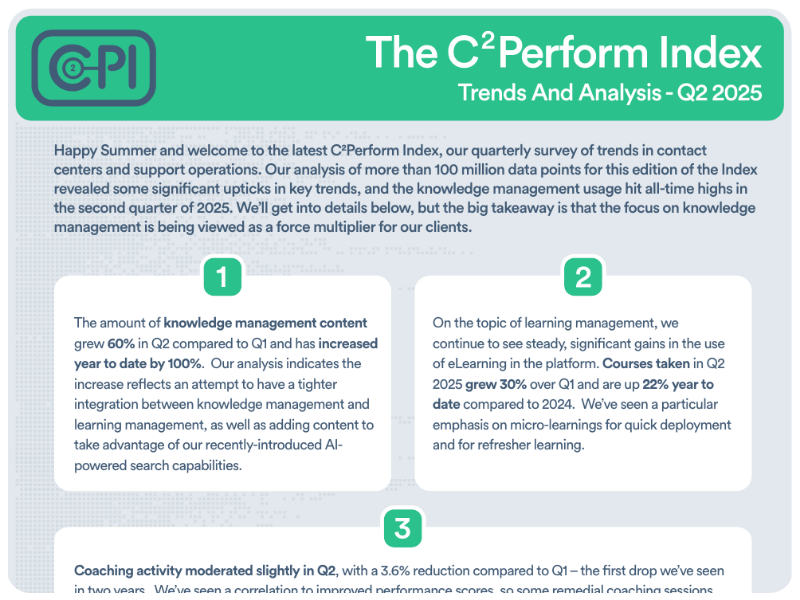
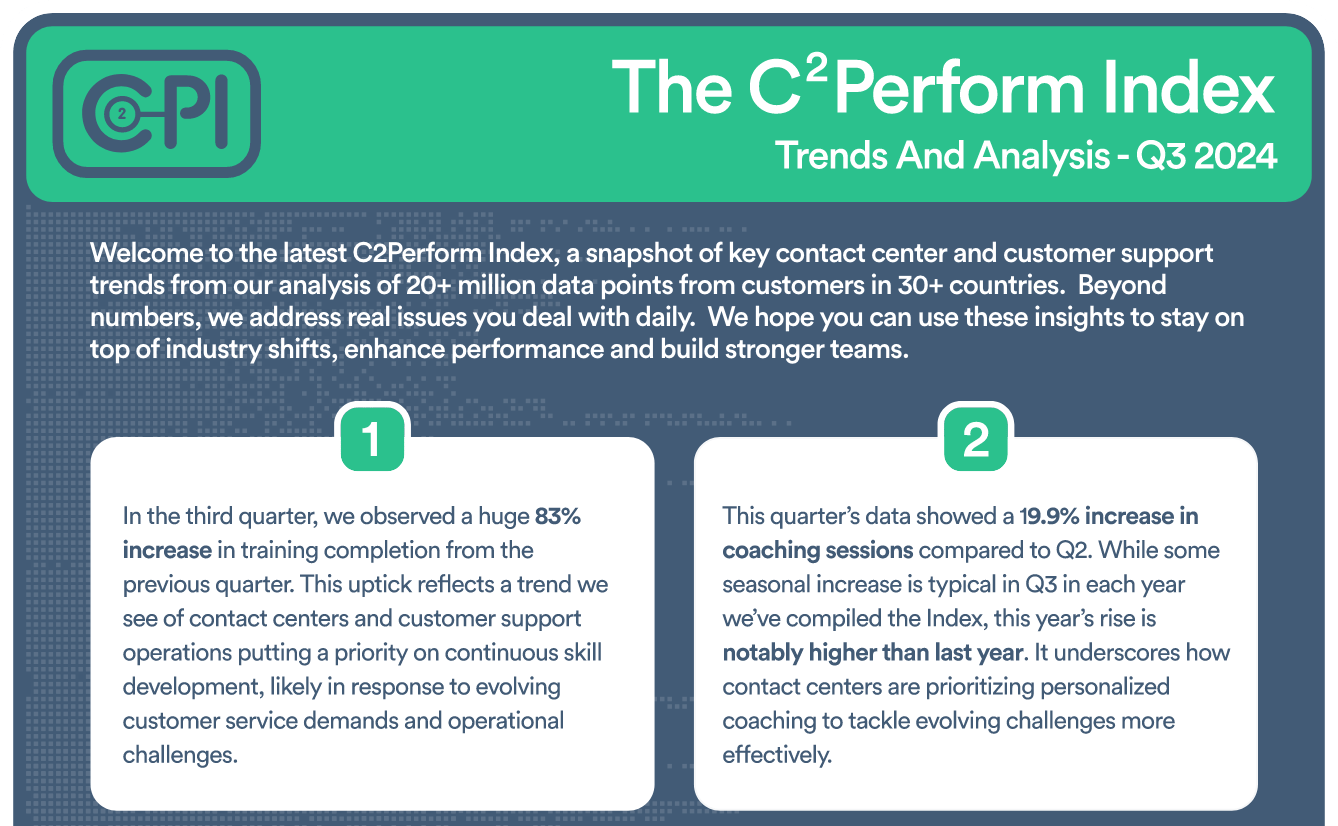
Insightful Analysis on Contact Center and Customer Support Trends

Check out our eBook, New Thinking About an Old Problem


Join contact center and customer support professionals around the world who can’t wait to see the C2PI every quarter.


300 Colonial Center Drive, Suite 100
Roswell, GA 30076
Copyright © 2026 C2Perform. All Rights Reserved. Privacy Policy Acceptable Use Policy