
 English
 Español
Contact Center QA Trend Analysis
Learn how to validate contact center QA trends, investigate what is changing, and turn quality findings into focused coaching, learning, and knowledge updates.
Read More
Find the best cost-effective AI knowledge base for small support teams. Compare top tools that save time, reduce tickets, and fit your team's budget.

The term "AI" often sounds complicated and expensive, making it easy to assume it's out of reach for smaller businesses. But that’s no longer the case. Many of today's AI-powered tools are built specifically for lean teams with tight budgets, offering powerful features without the enterprise-level price tag. You don't need a team of data scientists or a massive, perfectly organized database to get started. This article is here to cut through the jargon and show you that a cost-effective AI knowledge base for small support teams is not only achievable but a practical investment that can transform your operations, making your team more efficient and your customers happier.
When you hear "cost-effective," it’s easy to think it just means "cheap." But for a tool as critical as an AI knowledge base, the real meaning is about value and return on investment. A truly cost-effective solution doesn't just have a manageable price tag; it actively saves you money and time in the long run. It’s about finding a system that reduces the workload on your support agents, helps customers find answers on their own, and keeps your team from answering the same questions over and over.
Think about the hidden costs you're already paying: the time agents spend searching for information, the productivity lost to repetitive tickets, and the expense of training new hires on complex processes. A smart Knowledge Management system tackles these issues head-on. It becomes the single source of truth that makes your entire operation more efficient. So, instead of just looking at the monthly subscription fee, let's break down what features and pricing models actually deliver the best bang for your buck and make a tool genuinely cost-effective for your team.
The most valuable AI knowledge bases have features that do the heavy lifting for you. Look for tools that can automatically generate draft articles from support conversations or identify gaps in your content based on what customers are searching for. This saves your team from manually creating every single piece of documentation. A powerful search function is also non-negotiable. You need a system that understands what customers mean, not just the keywords they type. This helps people find answers themselves, which can reduce incoming support tickets and free up your agents to focus on more complex issues.
For a small team, every dollar counts. Instead of getting sticker shock, calculate the potential savings. For example, if your new knowledge base helps customers solve 200 issues on their own each month, and you estimate each support ticket costs $15 in agent time, that’s a savings of $3,000 a month. When you frame it that way, the investment makes a lot more sense. Many platforms also offer flexible or custom pricing plans. Don't be afraid to ask a vendor if they can create a package that fits your team's specific size and needs.
A knowledge base shouldn't operate in a silo. The most effective systems integrate smoothly with the other tools your team uses every day. Imagine an agent handling a customer query and having the AI automatically suggest the perfect help article right within their workspace. That’s a huge time-saver. When your Connected Quality Assurance program is linked to your knowledge base, you can easily spot where agents need more support and update your documentation accordingly. These connections streamline workflows and ensure everyone is working with the same accurate information.
Finding the right tool can feel overwhelming, so I've sorted through the options for you. Here are a few of the best AI knowledge bases that are perfect for small teams looking to make a big impact without a big budget. Each one has its own strengths, so you can find the one that fits your team’s specific needs. Whether you need an all-in-one system or a tool focused on self-service, one of these options should be a great fit.
If you're looking for more than just a standalone knowledge base, C2Perform is a great choice. It’s part of a complete performance management system, which means your knowledge base works hand-in-hand with coaching, quality assurance, and training tools. C2Perform’s Knowledge Management solution is designed to make sharing information simple and effective, helping your team find consistent answers quickly. This integrated approach is perfect for small teams that want to improve efficiency across the board, not just in one area. It turns your knowledge base into a central hub that supports every part of your team's development and daily work.
Document360 is a strong contender if your main goal is creating a self-service help center. Its AI chatbot is a standout feature, capable of finding information for both your internal team and your external customers. What’s really interesting is its "AI writing agent," which can generate knowledge base articles from existing content like videos, audio files, or even meeting notes. This is a huge time-saver for small teams that have a lot of raw information but not enough time to write everything out. It’s especially useful if you want to automatically turn your training videos or product demos into easy-to-read articles.
Stonly takes a two-pronged approach, helping both your agents and your customers. For your team, its "AI Agent Assist" acts like a helpful sidekick, summarizing support tickets and suggesting the best answers. For customers, an AI chatbot uses your guides to provide accurate responses, which has led some users to see an 80% drop in daily support tickets. According to Stonly, its AI can solve over 70% of customer questions on its own. If your primary goal is to significantly reduce your ticket volume and free up your agents' time for more complex issues, Stonly is definitely worth a look.
If your team's information is scattered across tons of different documents, eGain can help you bring it all together. Its AI is designed to pull information from various sources and consolidate it into a single, reliable knowledge base. It also offers an AI assistant that gives agents real-time suggestions while they're helping customers. This makes it a great option for teams that need to create a central source of truth quickly and want a unified AI tool that serves both agents and customers. The focus is on fast content creation and getting everyone on the same page.
When it comes to cost, you'll find that pricing for AI knowledge bases can vary quite a bit. Some platforms have straightforward per-user pricing, while others offer custom quotes based on your specific needs and usage. For example, a tool like eGain has a starting price point, which can make budgeting easier for small teams. Other platforms, like Stonly, prefer to create a custom plan tailored to your team's size and goals. It's always a good idea to reach out for a demo or a custom quote to get a clear picture of what your investment will look like.
When you’re running a lean team, every dollar and every minute counts. Investing in a new tool can feel like a big leap, but an AI knowledge base is one of those rare investments that starts paying for itself almost immediately. It’s not about slashing your budget indiscriminately; it’s about being smarter with the resources you have. By empowering both your customers and your agents, an AI knowledge base tackles operational costs from two different angles.
First, it gives your customers the power to find their own answers, which means fewer tickets for your team to handle. Second, it equips your agents with instant, accurate information, allowing them to resolve the remaining questions faster and more effectively. This shift doesn't just cut down on support costs. It frees up your team to focus on the complex, high-value interactions that truly define your customer experience and build lasting loyalty. It’s a strategic move that turns your support center from a cost center into a powerful engine for growth and customer satisfaction.
Let’s be honest, most customers don’t actually want to talk to a support agent. They want a fast, correct answer so they can get on with their day. An AI-powered knowledge base makes this possible by putting a powerful self-service tool right at their fingertips. Instead of waiting in a queue or sending an email into the void, customers can ask a question in their own words and get an instant, relevant answer. This simple change can deflect hundreds of tickets each month, freeing your team from answering the same repetitive questions over and over again. It’s a win-win: customers get the immediate help they crave, and your team gets to focus on more challenging issues.
A great AI knowledge base does more than just answer questions; it actively learns and improves over time. The system can analyze support conversations to identify common problems and automatically suggest or even generate new articles to address them. It also pinpoints gaps in your existing content, showing you exactly where you need to add more information. This proactive approach is incredibly effective. In fact, teams that implement AI knowledge base software can see their ticket volume drop by an impressive 30-50%. For a small team, cutting your ticket queue by a third or even a half is a game-changer, giving you valuable time back in your day.
When your knowledge base handles the routine inquiries, your agents can dedicate their expertise to the tricky problems that require a human touch. But the benefits don’t stop there. An AI knowledge base also serves as an internal co-pilot for your team. Instead of searching through messy shared drives or asking a colleague for help, agents can find verified, up-to-date information in seconds. This immediate access to knowledge makes every agent more confident and efficient. It also ensures consistency across your team, which is a key part of a strong quality assurance program. Agents spend less time searching and more time solving, which improves productivity and makes their jobs a whole lot easier.
Bringing a new tool into your workflow can feel like a huge undertaking, but it doesn’t have to be a headache. When you know what’s coming, you can plan ahead and make the transition smooth for your entire team. Let’s walk through what the implementation process actually looks like, from the timeline to the common myths you can ignore.
Let's get straight to the point: you won't be waiting months to see results. For most small teams, getting a new AI knowledge base up and running takes about one to two weeks. If you're part of a larger organization with more content and complex needs, the process might take closer to four to eight weeks. The timeline really depends on how much existing content you need to move over and how many other tools you want to connect. The key is having a clear plan before you start, which will help you get started on the right foot and keep things moving efficiently.
So, what happens during that setup window? It generally breaks down into a few key phases. First, you’ll audit your current content to decide what to keep, update, or toss. Next, you’ll migrate that content into your new knowledge management system. After that, it’s all about training your team so everyone feels confident using the new tool from day one. Finally, you’ll launch the system and start monitoring its performance to see how it’s helping your agents and customers. Each step is a manageable piece of the puzzle, bringing you closer to a more streamlined support operation.
There are a lot of misconceptions floating around about implementing AI tools. Let’s clear a few of them up. One common myth is that AI is too expensive for small businesses. The reality is that many cost-effective solutions are designed specifically for smaller teams. Another misconception is that you need perfect, pristine data to get started. The truth is that modern AI is great at working with the complex, unstructured data you already have. It’s designed to find patterns and create value from your existing systems, not demand a complete overhaul before you can even begin.
When you're working with a small team and a tight budget, every decision counts. Choosing an AI knowledge base isn't just about adding another tool to your stack; it's about making a strategic investment that will pay off in saved time and happier customers. But with so many options available, it’s easy to get distracted by flashy features that you don't actually need. The key is to focus on the core functionalities that will make the biggest impact on your team's day-to-day work and directly address your biggest pain points.
Instead of getting caught up in a long list of features, think about the specific problems you're trying to solve. Are your agents spending too much time searching for answers? Are customers repeatedly asking the same questions? Is your onboarding process taking longer than it should because new hires can't find information? Pinpointing your main challenges will help you identify the features that are true necessities. This approach ensures you choose a practical solution that delivers real value from day one, rather than a complicated system that gathers dust. It's about finding a tool that simplifies complexity, not adds to it.
For a small team, a "must-have" feature is one that directly reduces manual work and makes information accessible. Your top priority should be a smart search function that understands what users mean, not just the exact keywords they type. Look for tools that use AI to automatically suggest articles or even help draft new content, which can be a huge time-saver. You’ll also want simple analytics that show you which articles are performing well and where your content gaps are. These core features form the foundation of an effective knowledge management system. Anything beyond this, like complex workflow automation or extensive customization, can likely wait until your team grows.
The tool you choose today should still be the right fit a year from now. Scalability is crucial. Think about how the knowledge base will integrate with the other systems you use. The most effective AI knowledge bases work seamlessly with your support and quality assurance tools, creating a more unified workflow for your team. For example, the system might proactively suggest relevant articles to an agent during a customer interaction. As your company expands, you'll want a platform that can handle more content, more users, and more complex questions without missing a beat. A tool that grows with you prevents the headache of having to switch systems down the road.
If a knowledge base is clunky or difficult to use, your team and your customers will simply ignore it. A great user experience is not a luxury; it's essential for adoption. For customers, this means they can ask questions in a natural way and get accurate answers instantly, reducing the need to contact an agent. For your team, it means a clean, intuitive interface where they can find and share information in seconds. A positive user experience directly impacts your team's efficiency and morale, making it one of the most important factors to consider. It’s a key part of keeping your team focused and your engagement tools effective.
Let's be honest, the term "AI knowledge base" can sound a bit like corporate jargon. But when you get down to it, this tool is designed to solve some of the most persistent and frustrating problems that support teams face every single day. It’s not just a digital filing cabinet or a glorified FAQ page. A smart knowledge base acts as a central brain for your entire support operation, streamlining how information is found, used, and maintained for everyone from new hires to seasoned veterans.
Think about the daily grind: agents answering the same basic questions over and over, customers waiting on hold for simple answers, and the constant struggle to keep support documentation up to date across different platforms. An AI knowledge base tackles these issues head-on. It empowers customers to help themselves, gives your agents the right information at their fingertips, and uses intelligent features to ensure your content stays relevant and easy to find. It’s about turning operational complexity into consistency, which frees up your team to focus on the complex customer issues that truly require a human touch. This shift doesn't just improve efficiency; it makes the job more rewarding for your agents and creates a better experience for your customers.
If your support team feels like they’re constantly swamped, you’re not alone. Many teams spend a huge portion of their day answering the same handful of questions. This repetitive work is not only inefficient but also a major drain on agent morale. An AI knowledge base directly addresses this by creating a powerful self-service channel for your customers.
Instead of creating a ticket for a simple query, customers can find the answer themselves, anytime they want. The AI helps by understanding what customers are searching for and showing them the most helpful content. This can deflect hundreds of tickets every month, freeing up your agents to handle more complex, high-value customer interactions. A well-organized knowledge management system becomes your first line of defense, improving customer satisfaction and agent capacity at the same time.
For small teams, every minute counts. You don't have the luxury of a large staff to handle fluctuating ticket volumes or complex customer issues. An AI knowledge base acts as a powerful force multiplier, allowing your lean team to operate with the efficiency of a much larger one. It equips every agent with instant access to accurate, approved information, so they spend less time searching for answers and more time solving problems.
This means faster resolutions and more consistent service, regardless of which agent is handling the inquiry. The AI can also provide insights into what customers are looking for, helping you make more informed, data-driven decisions about your support strategy. It’s a practical way to scale your support capabilities without immediately scaling your headcount, ensuring you can handle growth effectively.
An out-of-date knowledge base is worse than no knowledge base at all. Incorrect information frustrates customers and misleads your agents, leading to poor outcomes and eroding trust. The challenge is that maintaining content is a never-ending task. This is where AI makes a significant difference.
An AI-powered system doesn't just store your articles; it helps you manage them. It can analyze user searches to find missing information, identify articles that are no longer relevant, and even suggest new topics to cover. This intelligent oversight ensures your content is always fresh, accurate, and genuinely helpful. By automating parts of the content lifecycle, you can maintain a reliable source of truth for both your customers and your internal teams, which is foundational to a great customer experience.
You’ve launched your AI knowledge base, and your team is starting to use it. That’s a great first step, but how can you be sure it’s actually making a difference? A great tool is only as good as the results it delivers. To see if your investment is paying off, you need to look beyond simple usage and measure its real impact on your team’s efficiency and your customers’ happiness.
The good news is you don’t need a data science degree to figure this out. By focusing on a few key areas, you can get a clear picture of what’s working, what isn’t, and how to make your knowledge base an even more powerful asset for your small team.
You can’t improve what you don’t measure. To understand your knowledge base's performance, start by tracking the right numbers. The most important metrics tell a story about how customers and agents interact with your content. Pay close attention to how many support tickets are resolved without an agent’s help and what questions customers are asking. This data helps you spot common issues and fix them at the source.
Look for these key indicators:
For any small team, proving the value of a new tool is essential. Calculating the return on investment (ROI) for your knowledge base doesn't have to be complicated. You can start with a straightforward formula to see the direct cost savings. For example, if your knowledge base deflects 200 tickets per month and each ticket costs $15 in support time, that's $3,000 in monthly savings.
To figure out your own ROI, first determine your average cost per support interaction. Then, track how many tickets your knowledge base deflects over a month. Multiply those two numbers, and you have a clear picture of the money you’re saving. Don’t forget to consider other benefits, too, like faster agent onboarding and higher employee morale, which are also supported by strong engagement tools.
Your knowledge base analytics are a goldmine of information for making improvements. Don't just let that data sit there; use it to refine your content and make your self-service portal even better. Track which articles are used most, what searches fail, and any direct customer feedback you receive. This information gives you a clear roadmap for what to update, what to create, and what to remove.
Start by looking at your most-viewed articles. Are they up-to-date and genuinely helpful? Next, review your failed searches. These tell you exactly what answers your customers are looking for but can't find. Creating content to fill these gaps is a quick win. This continuous review process is a core part of connected quality assurance, ensuring your knowledge base remains a reliable and effective resource over time.
Choosing and implementing an AI knowledge base is a huge step, but the work doesn’t stop once you go live. Think of your knowledge base as a garden, not a statue. It needs ongoing attention to flourish and provide real value. A tool is only as good as the strategy you build around it, and long-term success depends on a commitment to creating great content, getting your team invested, and continuously making improvements based on real data. When you treat your knowledge base as a living part of your operations, it becomes more than just a library of articles. It transforms into a single source of truth that empowers both your customers and your agents.
This approach creates a powerful cycle of improvement. Customers find answers on their own, which reduces ticket volume and frees up your agents to handle more complex issues. Agents, in turn, use the same trusted information to deliver fast, consistent service. This consistency is the bedrock of a great customer experience and a high-performing team. By integrating your Knowledge Management system with your other operational tools, you can connect accurate information directly to coaching, quality assurance, and internal communications, creating a truly cohesive and efficient environment.
When customers have a question, their first stop is often a search bar. Your goal is to make sure your knowledge base has the answer, presented in a way that’s easy to find and understand. Start by organizing information into clear, logical categories. Use headings and short paragraphs to make articles scannable. Most importantly, write using the same words your customers use, not internal jargon.
To keep your content helpful, you need to keep it fresh. Schedule regular content reviews to check for accuracy and identify any outdated information. A simple quarterly check-in can make a huge difference. When explaining complex topics, break them down with bullet points, numbered lists, and visuals like screenshots or short videos. The clearer your content is, the more customers will use it for self-service.
Your knowledge base isn't just a tool for customers; it's one of the most valuable resources you can give your support team. When agents can quickly find verified answers, they can resolve issues faster and with more confidence. This not only improves the customer experience but also reduces agent stress and frustration. Make sure your team knows how to use the knowledge base effectively and encourage them to rely on it as their primary source of information.
You can also use your knowledge base to support agent growth. By analyzing which articles agents use most, managers can spot common knowledge gaps and provide targeted Dynamic Coaching. This data-driven approach helps you make the most of your team’s potential and fosters a culture of continuous learning and development, which is key for agent engagement.
A great knowledge base evolves with your business and your customers' needs. Use the analytics from your tool to guide your content strategy. Pay close attention to what users are searching for. If you see a lot of failed searches for a specific topic, that’s your cue to create a new article. Also, look at which articles are viewed most often and make sure they are as clear and comprehensive as possible.
Establish a simple, clear process for updating content. This includes a way for team members to flag information that might be outdated or to suggest new topics. Getting input from different departments ensures your information is always accurate and complete. By creating a feedback loop within a central Communications Hub, you can make sure your knowledge base remains a trustworthy resource that everyone in the company can rely on.
What's the real difference between a standard knowledge base and one with AI? Think of a standard knowledge base as a digital library where you have to manually file and search for information. An AI knowledge base, on the other hand, is more like a smart assistant. It actively helps by understanding what your customers are asking, even if they don't use the perfect keywords. It can also suggest relevant articles to your agents in real-time and point out gaps in your content, so you always know what to create next.
How can I convince my boss that an AI knowledge base is worth the cost? Focus on the return on investment instead of just the price. You can build a strong case by calculating your current cost per support ticket and then estimating how many of those tickets could be handled through self-service. When you show that deflecting even a modest number of tickets saves thousands of dollars a month, the conversation shifts from an expense to a strategic investment in efficiency and customer satisfaction.
My team is already swamped. How much work is it to set up and maintain one of these? The initial setup does require some focused effort, but it's a short-term project that usually takes just a few weeks. The main tasks are deciding what existing content to migrate and getting your team comfortable with the new tool. After that, the AI actually makes maintenance much easier. It helps you spot outdated articles and suggests new topics based on what customers are searching for, so you can be more strategic with your time.
All these tools sound great, but how do I pick the one that's actually right for my team? Start by identifying your single biggest problem. If you're drowning in repetitive questions, a tool with a strong self-service chatbot might be your best bet. If your agents struggle with consistency, an integrated system that connects knowledge directly to coaching and quality assurance would be a better fit. Focus on the solution that solves your primary pain point, not the one with the longest list of features.
Will an AI knowledge base replace my support agents? Absolutely not. The goal is to make your agents' jobs better, not to eliminate them. An AI knowledge base handles the simple, repetitive questions that often lead to burnout. This frees up your team to apply their skills to complex problems that require critical thinking and a human touch. It acts as a co-pilot, giving them the information they need to be more effective and confident in their roles.
Check out our eBook, New Thinking About an Old Problem


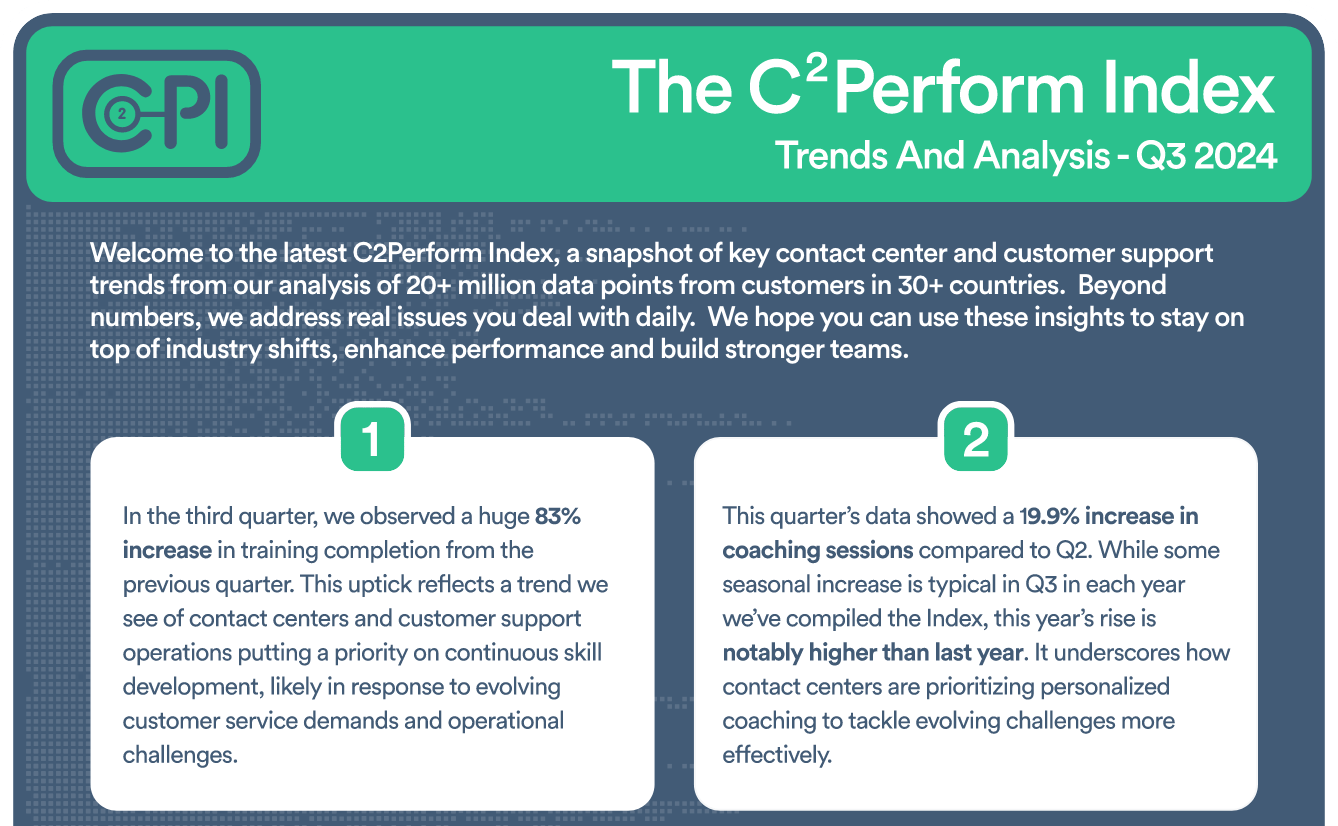
Join contact center and customer support professionals around the world who can’t wait to see the C2PI every quarter.


300 Colonial Center Drive, Suite 100
Roswell, GA 30076
Copyright © 2026 C2Perform. All Rights Reserved. Privacy Policy Acceptable Use Policy