
 English
 Español
Contact Center QA Trend Analysis
Learn how to validate contact center QA trends, investigate what is changing, and turn quality findings into focused coaching, learning, and knowledge updates.
Read More
See how an AI powered knowledge base vs traditional for support can improve efficiency, reduce manual work, and deliver faster, more accurate answers.

The tools you provide your support team send a clear message about how much you value their work. When they’re forced to use a slow, disorganized knowledge base, it tells them that their time isn't a priority. This leads to frustration, burnout, and ultimately, higher turnover. An effective knowledge base should feel like a helpful partner, not another obstacle in a stressful job. This is the core of the ai powered knowledge base vs traditional for support discussion. It’s about choosing a system that actively helps your agents succeed. Ahead, we’ll explore how each type of platform impacts daily workflows, agent confidence, and overall team engagement, helping you build a more supportive and efficient work environment.
So, what exactly separates an "AI-powered" knowledge base from a traditional one? It’s more than just a fancy label. While a standard knowledge base acts like a digital filing cabinet, an AI-powered one works more like an expert colleague who understands context and learns over time. This intelligence comes from a few key technologies that transform your content from a static library into a dynamic, problem-solving tool for your team. Let's break down what's happening behind the scenes and how it directly impacts your content's effectiveness.
At its core, an AI-powered system uses what’s known as Knowledge AI. Think of it as the brain of your knowledge base. It doesn't just store articles; it actively processes and understands the information within them. This allows it to interpret complex questions and connect different pieces of information, much like a seasoned agent would. The real game-changer is its ability to process massive amounts of data almost instantly, something that’s impossible to do manually. This speed and intelligence are what allow a smart knowledge management system to deliver precise answers right when your team needs them, without the frustrating search.
This underlying tech has a direct impact on how useful your content becomes. An AI-powered knowledge base drives effective self-service by giving users the right information on the first try. Instead of relying on exact keyword matches, it uses natural language processing (NLP) to understand the intent behind a question. This means your team gets accurate, context-aware answers in real time. The system also learns from every interaction. It can identify the most frequently asked questions and, more importantly, pinpoint where your knowledge is lacking. This creates a powerful feedback loop, helping you continuously improve your content and fill gaps before they become major issues for your customers and agents.
If you've been managing a team for a while, you're probably familiar with traditional knowledge bases. They served a purpose, acting as a central library for company information, policies, and procedures. For a time, they were the best tool we had. But as operations get more complex and customer expectations rise, the cracks in these older systems start to show. They were built for a different era, and their fundamental design can create more friction than flow for a modern support team. Let's look at a couple of the biggest challenges they present.
Think of a traditional knowledge base as a digital filing cabinet. The information is organized into folders and documents, but it just sits there. It’s a static structure. Platforms like SharePoint or Confluence can become slow and difficult to search as they fill up with content over the years. For an agent with a customer on the line, this is a huge problem. They don't have time to click through endless folders or guess the exact keyword to find the right policy. This static design often acts as a roadblock to quick resolutions, forcing agents to put customers on hold while they hunt for answers that a modern knowledge management system could surface instantly.
The biggest headache with traditional systems is the constant manual effort required to keep them current. When a process changes, someone has to find and update every relevant document. It’s a tedious process that’s prone to human error. This leads to outdated information, which is a major source of inefficiency. In fact, employees spend nearly two hours every day just searching for information. When they can't find what they need, they often have to redo work that already exists. This constant struggle doesn't just waste time; it creates inconsistent service and frustrates your team, who are trying their best to provide accurate answers.
An efficient support team isn't just about answering calls or tickets faster. It's about removing the small, daily frustrations that slow agents down and chip away at their confidence. When your team spends more time searching for information than actually helping customers, it’s a clear sign that your tools are working against them. An AI-powered knowledge base flips that script by turning your content repository into an active, intelligent partner that helps your team work smarter, not harder.
Nothing undermines a knowledge base faster than outdated information. In a traditional system, content becomes stale the moment a process changes, forcing knowledge managers into a constant cycle of manual reviews and updates. An AI-powered system, however, keeps your content fresh automatically. It can analyze new support tickets, documents, and chat logs to identify gaps or changes in information. By automatically creating, updating, and maintaining content, you ensure your team has on-demand access to the information they need, right when they need it. This builds trust and ensures every agent is working from the most current playbook, which is a core part of effective knowledge management.
Think about how much time your agents lose trying to find the right keyword for a search. Traditional search bars are rigid; if you don’t type the exact right phrase, you get irrelevant results or nothing at all. AI-powered search uses Natural Language Processing to understand the intent behind a question, just like a person would. An agent can type "How do I process a refund for a subscription?" and get a direct answer, not just a link to a 10-page policy document. This makes finding information faster and smoother, cutting down on handle times and reducing the need for agents to ask a supervisor for help.
An intelligent knowledge base does more than just support your agents; it empowers your customers, too. By integrating your AI knowledge base with self-service options like a help center or a chatbot, you can provide instant answers to common questions 24/7. This deflects a significant number of routine tickets, freeing up your team to focus on more complex customer issues that require a human touch. Internally, this same technology helps new hires get up to speed quickly and confidently. It creates a more self-sufficient work environment, which is a key driver for better team engagement and performance.
When you put an AI knowledge base and a traditional one side-by-side, the biggest difference you’ll notice is the user experience. It’s not just about a slicker interface; it’s about fundamentally changing how people find information. This shift impacts everyone, from a customer trying to solve a problem on your website to an agent looking for the right procedure during a live call. A better experience means less frustration, faster answers, and a more confident team.
Think about the last time you used a traditional knowledge base. You probably typed in a few keywords and got a long list of articles to scroll through. It’s a guessing game, forcing you to hunt for the right information. An AI-powered Knowledge Management system works differently. Instead of just matching keywords, it understands the intent behind a question. Your team can ask, "What's our policy for refunding a subscription?" and get a direct, concise answer, not a list of documents. This conversational approach delivers accurate, personalized information instantly, cutting out the frustrating search process entirely.
When finding information is easy, people are more likely to do it themselves. This is the core of effective self-service. An AI knowledge base empowers both your customers and your agents to find what they need without asking for help. Instead of creating a support ticket for a simple question, a customer can get an immediate answer from your AI-powered help center. Internally, a new agent can get up to speed faster by asking the system questions instead of interrupting a colleague. This helps you deliver faster, more accurate answers and reduces the burden on your experienced team members, letting them focus on more complex issues.
Every minute an agent spends searching for information is a minute a customer spends waiting. This wasted time adds up quickly, costing a company with 1,000 employees over $2 million each year in lost productivity. By providing instant answers, AI drastically cuts down on this search time. For example, one company saw a 76% reduction in call handling time after integrating AI with their knowledge management. Faster resolutions don't just save money; they create happier customers and less-stressed agents. When your team feels equipped and your customers feel heard, satisfaction scores for both groups naturally improve.
When you’re comparing knowledge bases, the price tag is obviously a huge factor. But the true cost goes far beyond the initial quote. You have to consider the setup, the ongoing maintenance, and most importantly, the return on your investment. An outdated system might seem cheaper upfront, but hidden costs can quickly add up and drain your resources.
Let's break down the real financial differences between a traditional system and an AI-powered one, so you can see the complete picture and make a decision that benefits your budget and your team in the long run.
Getting a traditional knowledge base off the ground can be a massive undertaking. Older platforms like SharePoint or Confluence can cost around $5 per user per month, but that’s just the start. You also have to factor in significant IT costs, often ranging from $50,000 to $250,000, just for the initial setup and configuration. This process can take months, requiring a dedicated project team and pulling your IT department away from other priorities.
Modern AI-powered systems flip this model on its head. Most are SaaS solutions with a much more streamlined implementation process. Instead of a huge upfront investment and a lengthy project, you get a predictable subscription fee and a platform designed for a quick launch. A modern knowledge management system is built to be intuitive, so your team can get started and see value almost immediately.
With a traditional knowledge base, the work is never really done. These tools are often slow, filled with outdated information, hard to search, and expensive to maintain. The "maintenance" cost isn't just about software updates; it's the constant human effort required to keep the content library from becoming a digital graveyard. Your subject matter experts and knowledge managers end up spending countless hours manually reviewing articles, fixing broken links, and trying to figure out what’s still relevant.
AI-powered platforms, on the other hand, handle a lot of this heavy lifting for you. The system can automatically flag content that’s old or rarely used, identify knowledge gaps based on failed searches, and ensure information is easy to find. This frees up your team from tedious administrative tasks, allowing them to focus on creating valuable new content and keeping your entire team informed through a central communications hub.
The biggest hidden cost of a traditional knowledge base is wasted time. For a company with 1,000 employees, time spent searching for information can cost over $2 million each year. That’s a staggering amount of lost productivity, and it’s a direct result of clunky search functions and disorganized content. Every minute an agent spends hunting for an answer is a minute they aren't helping a customer.
This is where the ROI of an AI system becomes crystal clear. AI tools are much faster, can handle more complex questions, are easier to use, and give more accurate answers than older systems. By drastically cutting down on search time, you give that productivity right back to your team. This leads to faster resolution times, better customer satisfaction, and more opportunities for meaningful coaching. The return isn't just in saved dollars; it's in a more efficient, effective, and engaged team.
When you start looking at AI-powered knowledge bases, you’ll see a lot of flashy features. But not all of them will actually make a difference in your day-to-day operations. To get the most value, you need to focus on the core functionalities that directly support your team and improve your customer experience. The right AI features move your knowledge base from a static library of articles into a dynamic, intelligent partner for your support agents.
Think of it this way: a traditional knowledge base is like a dictionary. You can find the definition if you know what word to look up. An AI knowledge base is like having a librarian who not only finds the book for you but also points you to the exact page and suggests other resources you didn't even know you needed. The best systems provide deep analytical insights, fit right into your team's existing workflow, and get smarter over time with minimal effort from you. These are the non-negotiable features that deliver a real return on your investment.
A great AI knowledge base does more than just store information; it tells you how that information is being used. Advanced analytics show you what questions your agents and customers are asking most often, revealing the exact spots where your knowledge is strong and where it has gaps. This insight is incredibly valuable. Instead of guessing what new articles to write or which ones to update, you have a clear, data-driven roadmap. You can use these analytics to refine your content, improve your Connected Quality Assurance processes, and even inform your agent training programs, ensuring your team is always prepared for the most common issues.
Your team is already busy, so the last thing they need is another app to juggle. That’s why seamless integration is a must-have feature. The best AI knowledge bases work directly within the platforms your team already uses every day, like your CRM or internal chat tools. When an agent can find an answer without ever leaving their main screen, you eliminate the friction of switching between applications. This small change has a huge impact on efficiency and focus. It makes finding information a natural part of the workflow, not a disruptive task, which is a core principle of an effective Communications Hub.
Perhaps the most powerful feature of an AI knowledge base is its ability to learn and adapt on its own. Unlike traditional systems that depend entirely on manual updates, an AI-powered system gets smarter with every search and every piece of feedback. It analyzes which answers resolve issues and which ones don't, automatically refining its suggestions over time. This continuous learning cycle means your Knowledge Management system becomes more accurate and helpful without adding to your team's workload. It evolves right alongside your business, ensuring the information your agents rely on is always current and effective.
Switching to an AI-powered knowledge base is an exciting step, but let’s be real, any big tech change comes with a few bumps in the road. It’s not as simple as flipping a switch. You’re dealing with technology, processes, and most importantly, people. Thinking through these potential challenges ahead of time is the best way to ensure a smooth transition for everyone involved.
The main hurdles usually fall into three categories: moving your existing information, getting your team comfortable with the new system, and making sure everything is secure and compliant. While these might sound intimidating, they are completely manageable with the right plan and partner. Acknowledging these potential issues from the start helps you prepare your team and set realistic expectations. It’s all about turning potential roadblocks into stepping stones for a successful launch that empowers your team and improves your operations from day one.
First up is the data. You likely have a ton of valuable information stored in different places, from old knowledge bases to shared drives and documents. Moving all of that into a new AI system can feel like a huge task. The key is to focus on data quality. This is your chance to clean house, getting rid of outdated or duplicate articles and ensuring the information you migrate is accurate and well-organized. A successful transition depends on feeding the AI good, clean data. Think of it less as a simple transfer and more as an opportunity to refine your knowledge management strategy from the ground up. Planning this phase carefully will pay off big time later.
A new tool is only as good as the team using it. It’s natural for people to be a little hesitant about change, especially when it involves technology they rely on every day. Some may worry an AI system is too complex or that it will make their job harder. The best way to handle this is with clear communication and solid training. Explain why you’re making the switch and how it will benefit them directly, like finding answers faster or getting more time to focus on complex customer issues. Providing hands-on learning management and ongoing support will help everyone feel confident and ready to embrace the new system, turning skepticism into enthusiasm.
Your knowledge base contains a lot of sensitive information, from internal procedures to customer data. When you bring AI into the mix, security and compliance become even more critical. You need to be sure that the system you choose protects this data and meets all regulatory requirements for your industry. Before you commit to a platform, ask the tough questions about its security protocols, data encryption, and privacy policies. Failure to address these concerns can create trust issues with both your team and your customers. Choosing a secure, reliable platform is non-negotiable for protecting your business and maintaining the trust you’ve worked so hard to build.
Switching to an AI-powered knowledge base feels like a big step forward, but how can you be sure it’s actually making a difference? You need to move beyond gut feelings and look at the data. A great system doesn't just provide answers; it also gives you the insights to prove its worth. By tracking the right metrics, you can clearly see the impact on your team's performance, your operational efficiency, and your customers' happiness. It’s about connecting the dots between the new tech and your business goals.
One of the biggest advantages of an AI system is the data it generates. Unlike traditional platforms where you can only see page views, an AI knowledge base gives you a detailed look at what’s working and what isn’t. You can track key performance indicators (KPIs) like the accuracy of the information provided, how quickly agents find what they need, and whether search queries are successful on the first try. These AI-powered analytics help you pinpoint content gaps and continuously refine your knowledge base, ensuring it becomes an even more powerful resource over time.
A tool is only effective if your team actually uses it. That’s why tracking user engagement is so important. Are your agents turning to the knowledge base consistently? How often are they finding the answers they need without asking a supervisor? Look at metrics like adoption rates, frequency of use, and direct feedback from your team. An AI knowledge base should make their jobs easier, which naturally leads to higher employee engagement. When your team feels supported and confident, they can deliver a much better customer experience.
Ultimately, you want to see tangible improvements in how your team operates. An effective AI knowledge base should directly impact your operational efficiency. You can measure this by looking for a reduction in average handle time (AHT) or an increase in first-contact resolution rates. When agents spend less time searching for information, they can resolve customer issues faster and more accurately. This not only saves time and money but also has a positive ripple effect on your quality assurance scores and overall customer satisfaction.
Picking the right knowledge base is a big decision. This tool will become the central source of truth for your team, so it’s important to get it right. Instead of getting overwhelmed by features, start by looking at your own organization. The best choice depends on your team's specific needs, your budget, and where you see your company heading. Thinking through these key areas will help you find a solution that solves today’s problems and supports your future success. Let’s break down the three most important factors: your team’s size, your budget, and your plans for growth.
The size of your team and the number of inquiries you handle are major factors in your decision. A small team with a low volume of simple questions might get by with a basic system. But if you have a large team or high support volume, you need a more dynamic solution. AI-powered tools are built to handle more questions with greater speed and accuracy than older systems. An intelligent knowledge management system helps your agents find the right answers instantly, which is critical for keeping resolution times low and customer satisfaction high, no matter how busy things get.
When you think about cost, look beyond the monthly price tag. Traditional knowledge bases can seem affordable at first, with prices around $5 per user. However, they often come with significant hidden costs for IT setup and ongoing maintenance, sometimes running into the hundreds of thousands. You need to consider the total cost of ownership. A modern, integrated platform might have a different pricing structure but can save you a fortune in IT resources. Look for a solution that fits neatly into your existing tech stack and doesn't require a dedicated team of developers to keep it running.
The knowledge base you choose today should be able to support you tomorrow. Your business will evolve, and your knowledge base needs to scale with you. As your company expands, an AI-powered system can manage a growing library of content and an increasing number of user questions without needing a lot of extra IT support. This is a stark contrast to traditional systems, which can become slow and difficult to manage as they grow. Investing in a scalable performance management system ensures your team will always have fast, reliable access to the information they need, supporting your company’s long-term goals.
What's the biggest difference between a traditional and an AI-powered knowledge base? The simplest way to think about it is that a traditional knowledge base is like a digital library where you have to know exactly what book to look for. An AI-powered knowledge base is like having an expert librarian who understands your question and brings you the exact page you need. It shifts the burden of finding information from your employee to the technology itself by understanding context and intent, not just keywords.
My current knowledge base is a mess. Do I need to fix it before switching to an AI system? Not necessarily. While cleaning up your content is always a good practice, this is actually a great opportunity to let the new system help you. During implementation, an AI-powered tool can analyze your existing documents to identify what's being used, what's outdated, and where you have duplicate information. Think of it less as a prerequisite and more as the first step in the new, smarter process.
Will an AI knowledge base make my agents' jobs obsolete? Absolutely not. The goal is to make their jobs better, not to eliminate them. An AI knowledge base removes the most frustrating part of an agent's day: endlessly searching for the right answer while a customer waits. By providing instant, accurate information, it frees up your team to focus on what they do best, which is complex problem-solving and providing a thoughtful, human connection for your customers.
How does this kind of system help with onboarding new employees? It has a huge impact on the new hire experience. Instead of constantly interrupting a mentor or manager for every little question, a new employee can ask the knowledge base directly using their own words. This allows them to find verified answers on their own, which builds their confidence and helps them become proficient much faster. It creates a more self-sufficient learning environment from day one.
How quickly can I expect to see a return on investment? You'll notice some benefits almost immediately, like a sharp drop in the time your agents spend searching for information. This directly translates into lower handle times. Other returns, such as higher first-contact resolution rates and improved customer satisfaction scores, will become more apparent over the first few months as the system learns from interactions and your team gets comfortable with the new workflow.
Check out our eBook, New Thinking About an Old Problem


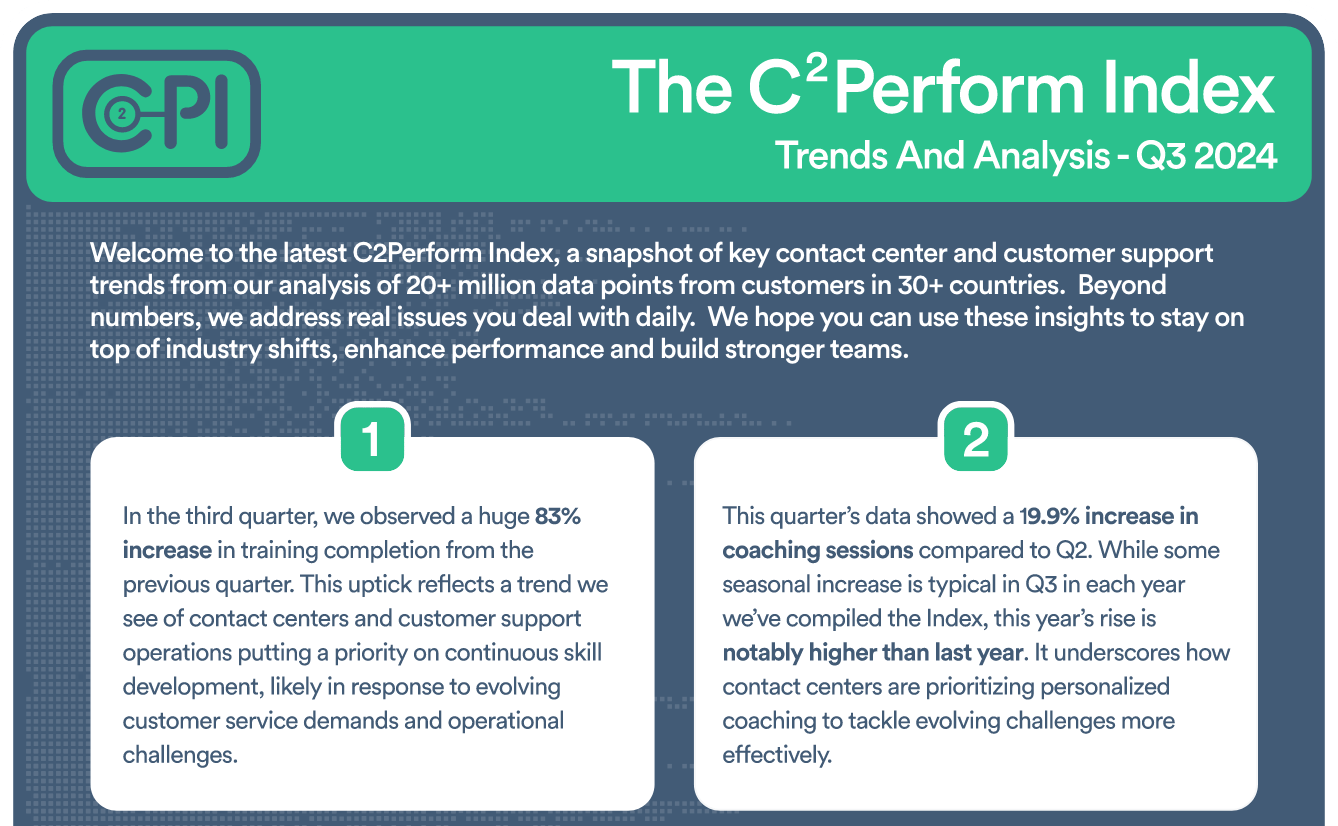
Join contact center and customer support professionals around the world who can’t wait to see the C2PI every quarter.


300 Colonial Center Drive, Suite 100
Roswell, GA 30076
Copyright © 2026 C2Perform. All Rights Reserved. Privacy Policy Acceptable Use Policy