
 English
 Español
Claims Processing Systems: A Rollout Plan
A claims processing systems rollout guide covering workflow readiness, knowledge migration, role-based learning, QA governance, and adoption.
Read More
Get 5 proven service call script examples to help your team handle customer calls with confidence, consistency, and a more personal touch.

Let's be honest, the term 'service call script' often brings to mind robotic, impersonal conversations. We've all been on the receiving end of one. But what if we thought about scripts differently? Instead of a rigid mandate, a great script is a strategic guide that creates consistency and empowers your agents. It’s the playbook that ensures every customer gets the same high-quality experience, reflecting your brand's voice. When done right, a script isn't a cage; it's a tool that gives your team the confidence to handle any call, knowing they have accurate, approved information right at their fingertips.
Think of a service call script as a roadmap for your agents. It’s a pre-written guide with key questions and answers designed to handle common customer interactions. The goal isn't to turn your team into robots, but to ensure every customer receives consistent, accurate, and efficient support. When an agent can quickly pull up the right information, it directly impacts their ability to solve the problem on the first try, which is a win for everyone.
These scripts are the backbone of a high-performing contact center. They provide a reliable framework that helps agents deliver a standard level of quality, whether they’re a seasoned pro or on their first day. For this to work, scripts need to be clear, correct, and easy to access. Storing them in a centralized Knowledge Management system means your team isn't scrambling for answers while a customer waits. Instead, they have a trusted resource at their fingertips, allowing them to focus on the person on the other end of the line. This foundation of consistency is what allows your team to build trust and improve the overall customer experience with every call.
It’s helpful to think about the difference between a strict script and a set of talking points. A script is like a detailed recipe, providing a word-for-word or step-by-step guide for the entire conversation. This is incredibly useful for complex processes or situations where legal or regulatory language must be exact. Talking points, on the other hand, are more like a list of key ingredients. They give agents the main ideas and phrases they need to cover but offer the flexibility to adapt the conversation to the customer's specific personality and needs. Choosing the right approach often depends on the agent's experience and the type of call.
The best agents know how to blend scripts with genuine conversation. A script is essential during new hire training, for walking a customer through a technical troubleshooting process, or when you need to capture specific information for compliance. It creates a safety net that ensures nothing important gets missed. However, there are times when going off-script is the right move. When a customer is frustrated or has a truly unique problem, a rigid script can feel impersonal. This is where agent training and Dynamic Coaching come in. By empowering your team to understand the why behind the script, you give them the confidence to improvise when needed and create a more human connection.
Let’s be honest, call scripts get a bad rap. The word itself can bring to mind images of agents reading in a monotone, sounding more like a robot than a helpful human. But when you think of a script as less of a rigid mandate and more of a strategic guide, its value becomes clear. For any contact center leader, scripts are a foundational tool for creating a predictable, high-quality customer experience. They aren’t meant to trap your agents in a conversational cage; they’re designed to give them the right words and information at the right time, so they can focus on what really matters: listening to and connecting with the customer.
Think of scripts as the playbook for your service team. They establish a baseline for quality and ensure that every customer interaction reflects your brand’s voice and values. When an agent has a clear, well-written guide, they can handle calls with more confidence and efficiency. This is especially true in complex or regulated industries where accuracy is non-negotiable. A good script ensures that critical information is delivered correctly every single time. It’s not about removing the human element, but about supporting it. By providing a solid framework, you free up your agents’ mental energy to handle the unique, unscripted moments that truly define a great customer experience. Ultimately, effective scripts are a cornerstone of operational excellence, driving consistency, improving key metrics, and supporting your team’s success.
Your customers expect a consistent experience no matter who they speak to. Scripts are the simplest way to make that happen. They ensure every agent is working from the same playbook, using the same greetings, and reflecting the same brand voice. As Zendesk notes, well-crafted scripts help agents sound "confident, caring, and consistent, making sure everyone gets good service." This consistency builds trust and reinforces your brand identity with every call. When customers know what to expect, they feel more comfortable and confident in your ability to help them. It removes the guesswork for your agents and creates a reliable, professional experience for the people on the other end of the line.
First Call Resolution is a critical metric for any contact center, and scripts have a direct impact on it. When an agent has a clear guide, they can diagnose issues and walk customers through solutions more effectively. According to Whatfix, "Scripts help agents solve problems faster, make customer service consistent, and reduce mistakes." By equipping agents with proven troubleshooting steps and accurate answers, you reduce the chance of errors that lead to follow-up calls. This all starts with having a single source of truth. An effective Knowledge Management system ensures that the scripts and information agents use are always correct and up-to-date, empowering them to resolve issues on the first try.
A confident agent is an effective agent. Scripts provide a safety net that is especially valuable for new hires who are still learning your products and processes. As Dialpad points out, with scripts, "Agents feel surer about what to say. New agents learn faster." This confidence doesn't just benefit new team members; it helps all agents feel more prepared to handle tough questions or unhappy customers. When they aren’t struggling to find the right words, they can dedicate more mental energy to active listening and personalizing the conversation. This reduces agent stress and burnout, which is a key part of building a resilient and engaged team.
In regulated industries like insurance, finance, or utilities, saying the right thing isn’t just good practice, it’s a legal requirement. Scripts are essential for ensuring agents deliver necessary disclosures and stick to approved language, minimizing compliance risks. They act as a guide to keep conversations on track and make it easier for Connected Quality Assurance teams to verify that guidelines are being met. Just as important is version control. A centralized Knowledge Management platform ensures that every agent is using the most current, approved version of a script. This prevents the spread of outdated information and gives you a clear audit trail for any content changes.
Think of a service call script not as a rigid set of lines, but as a blueprint for a successful conversation. The best scripts don't just tell an agent what to say; they provide a reliable framework that guides them through every stage of a customer interaction. This structure ensures that every customer receives the same high standard of service, no matter which agent they speak to. It also gives your agents the confidence to handle calls efficiently and effectively, knowing they have a proven path to follow.
A truly great script is broken down into logical parts, each with a specific goal. It starts with a warm opening to build rapport, moves into clear steps for diagnosing the issue, and provides a path to a solution. It also includes critical checkpoints for security and compliance, and finishes with a professional closing that leaves the customer feeling heard and cared for. By building these essential components into your scripts, you create a powerful tool that supports your agents, improves key metrics like First Call Resolution, and delivers the consistent experience your customers deserve.
The first 15 seconds of a call set the tone for the entire interaction. A great opening does more than just state your company’s name; it immediately builds trust and makes the customer feel they’ve reached the right person. Your script should guide agents to start with a friendly, professional greeting that includes their name. This simple act personalizes the experience and establishes a human connection. Following the greeting with a clear and genuine offer to help, like "How can I help you today?", signals that the agent is ready and willing to solve their problem. This positive start can de-escalate a frustrated customer and pave the way for a much smoother conversation.
Once you've set a positive tone, the next step is to understand why the customer is calling. This diagnostic phase is critical for efficiency and accuracy. Your script should include a series of thoughtful questions designed to get to the heart of the issue quickly. Instead of a generic "What's the problem?", equip your agents with specific, open-ended questions that encourage the customer to share important details. This is where active listening is key. A well-crafted script prompts the agent to listen for keywords and confirm their understanding, ensuring they are solving the right problem from the start. This focus on accurate discovery is fundamental to improving your First Call Resolution rate.
After identifying the problem, the script should provide a clear path to the solution. This doesn't mean the script needs to contain every possible answer. Instead, it should act as a guide, directing the agent to the correct information within your Knowledge Management system. For common issues, the script can offer step-by-step instructions. For more complex problems, it can provide prompts for troubleshooting or explain how to find the right article or resource. By integrating your scripts with your knowledge base, you empower agents to find accurate, approved answers quickly. This ensures they provide consistent, reliable solutions every time, rather than relying on memory or guesswork.
In many industries, especially banking, insurance, or healthcare, security isn't just a good idea; it's a requirement. Your scripts must include mandatory steps for verifying a customer's identity before accessing or discussing sensitive account information. This section should be non-negotiable and standardized across the board to protect both the customer and your business. Using a script for verification ensures every agent follows the exact same procedure every time. This is essential for maintaining compliance and creating an auditable record, which is a core part of a Connected Quality Assurance program. It removes ambiguity and reduces the risk of human error in critical security moments.
How you end a call is just as important as how you begin it. A professional closing solidifies the resolution and leaves the customer with a positive final impression. Your script should guide the agent to briefly summarize what was discussed and accomplished on the call. This confirms that the issue has been addressed and everyone is on the same page. If there are next steps, like an email follow-up or a future appointment, the script should prompt the agent to explain them clearly. Finally, always end with one last offer of help, such as, "Is there anything else I can assist you with today?". This simple question ensures all the customer's needs have been met.
While every customer conversation is different, certain situations come up again and again. Having a solid script for these common scenarios gives your agents a reliable starting point, helping them stay confident and consistent. Think of these examples as a foundation you can adapt for your team. The goal isn't to create robotic responses, but to provide a clear, effective path for resolving customer needs. By preparing for these five common calls, you can equip your agents to handle almost anything that comes their way.
We'll cover everything from calming a frustrated customer to walking someone through a technical issue. Each script is designed to be a practical tool that empowers your agents to deliver exceptional service, every time. Remember, the best scripts are flexible, allowing agents to inject their personality while still following a proven structure for success. These scenarios represent the moments that can make or break a customer's experience. A well-handled complaint can turn a detractor into a loyal advocate. A smooth technical support call saves everyone time and frustration. By scripting these key interactions, you're not just standardizing processes; you're building a framework for consistent excellence that supports both your agents and your customers.
When a customer calls with a complaint, their frustration is often the first thing an agent hears. The key is to listen with empathy and shift the focus toward a solution. A great script for customer complaints should always show understanding and offer solutions. It also needs to guide the agent on when it’s time to escalate the call to a manager. Instead of getting defensive, the agent’s role is to acknowledge the customer's feelings and take ownership of the problem. This approach can turn a negative experience into a positive one.
Example Script:
Technical support calls require precision and clarity. Unlike complaint calls that lean on empathy, these interactions depend on accuracy. As one expert notes, "Technical support scripts should be very detailed and provide access to more resources. Agents should stick closely to these scripts." A single missed step can lead to more confusion and another call. Your script should be a step-by-step guide that’s easy for both the agent and the customer to follow. Having these guides readily available in your Knowledge Management system ensures agents can pull up the right information instantly, improving first call resolution.
Example Script:
Billing questions involve sensitive customer information, so security and accuracy are non-negotiable. Before diving into any details, your script must include a clear verification step. You should always check the customer's identity first, then move on to explaining charges or payment issues. This protects the customer’s privacy and ensures you’re speaking with the account holder. Once verified, use simple, direct language to explain the bill. Avoid jargon that could cause more confusion and be prepared to walk them through each line item if needed.
Example Script:
No customer likes being passed from person to person. A clunky transfer can make a customer feel like their problem isn't being taken seriously. Scripts for transferring a call should include clear communication about what the customer can expect next. A warm handoff, where the agent explains who they are transferring to and why, is always better than a cold one. This simple step manages expectations and shows the customer you’re actively working to get them to the right person who can solve their issue.
Example Script:
A proactive follow-up call can be a powerful tool for building customer loyalty. It shows you care about the customer’s experience beyond a single interaction. A good follow-up script should include a friendly greeting, a quick recap of the previous conversation, and an invitation for any further questions. The goal is to confirm that their issue was fully resolved and to let them know you’re still there to help. This small gesture reinforces a positive relationship and leaves the customer feeling valued.
Example Script:
Even the most perfectly written script can fall flat if it’s delivered like a robot reading a manual. The goal isn’t to have agents who can recite lines, but to have confident problem-solvers who can connect with customers. A great script is a safety net and a guide, not a cage. It provides the essential framework, ensuring compliance and consistency, while leaving room for the agent’s personality to shine through. When you empower your team to be themselves, they can build genuine rapport and turn a routine service call into a positive, memorable experience.
This is where agent development becomes so important. Instead of just handing over a script, you need to teach your team how to use it as a tool. Through practice, feedback, and targeted support, agents learn to blend the script’s structure with their own conversational style. This approach moves beyond simply monitoring calls and focuses on building skills. With the right Dynamic Coaching, you can help your agents master the art of conversation, turning scripted interactions into authentic connections that leave customers feeling heard and valued. It's about creating a culture where agents feel supported enough to be human on every call.
A script should be more than just a block of text. Think of it as a piece of sheet music, complete with notes on tempo and dynamics. You can embed simple cues directly into your scripts to guide an agent’s delivery without dictating every word. For example, you might add prompts like, “[Acknowledge their frustration with an empathetic tone]” or “[Confirm you understand by rephrasing their issue].”
These small additions remind agents to pause, listen, and react like a human. They also create natural opportunities for personalization, like using the customer’s name or referencing a detail they shared earlier. When you store these enhanced scripts in a centralized Knowledge Management system, your entire team has access to a consistent yet flexible resource for handling any situation with a personal touch.
The best agents are expert listeners. They can pick up on subtle cues in a customer’s voice, like frustration, confusion, or relief. A script can’t account for the emotional side of a conversation, but a well-trained agent can. Encourage your team to treat scripts as a guide, not a rigid set of rules. They should have the freedom to adapt their approach based on the customer’s mood and personality.
If a customer is clearly in a hurry, the agent can stick to a more direct, efficient path. If another customer is chatty and wants to connect, the agent should feel empowered to engage in a bit of friendly conversation. This flexibility is key to creating a positive customer experience. It shows the customer that they’re talking to a real person who is actively listening and responding to their specific needs.
Giving agents the green light to go off-script can feel a little scary, but it’s essential for handling unique situations and building agent confidence. The key is to train them on how and when to improvise. This isn’t about abandoning the script entirely; it’s about knowing when to take a detour to address a specific concern or build rapport before returning to the main road.
Teach agents to listen for opportunities where a personal touch or a creative solution is needed. When they solve a problem without a script to guide them, it builds their critical thinking skills and makes them feel more invested in their role. Over time, they’ll stop relying on scripts as a crutch and start seeing them as a helpful tool in their problem-solving toolkit. This autonomy is what separates good agents from great ones.
Creating a great script is only half the battle. The real magic happens when you treat your scripts as living documents that need care and attention to stay effective. They should evolve with your products, your customers, and your team. A script isn't a rulebook set in stone; it's a dynamic tool that supports your agents and improves the customer experience. By building a solid process for writing and maintaining your scripts, you create a powerful resource that helps everyone succeed. Let's walk through how to build that process from the ground up.
Your agents are on the front lines every single day, so they know what works with customers and what doesn't. That’s why they should be your primary collaborators when you write or update scripts. Instead of creating scripts in a silo, work with your team to build them together. Create a simple feedback loop where agents can suggest changes or flag parts of a script that feel awkward. As one expert notes, you should "use customer feedback: Ask customers and agents what they think of the scripts and make changes." This collaborative approach results in more effective scripts and gives your agents a sense of ownership.
The words your agents use have a huge impact on the customer's mood and the call's outcome. A script filled with negative language like "we can't" or "you have to" can immediately put a customer on the defensive. Instead, focus on building your scripts with positive and empathetic language. According to Call Centre Helper, "using positive words and phrases can make customer service calls much better." For example, instead of saying, "That product is backordered," try, "That item will be available in two weeks, and I can place an order for you right now." This simple switch reframes the situation and helps agents build rapport.
Even the most perfect script is useless if your agents can't find it when they need it most. Scripts should live inside a centralized, searchable knowledge base that agents can access in seconds. When an agent can quickly pull up the right talking points, they spend less time searching and more time helping the customer. Integrating scripts into your workflow reduces the cognitive load on your team. As the team at Whatfix explains, "scripts act as guides, reducing how much training is needed." A well-organized Knowledge Management system ensures every agent has instant access to the most current information, which is key to improving First Call Resolution.
Your business is always changing, and your scripts need to keep up. Set a regular schedule, perhaps quarterly, to review every script in your library. Use this time to remove outdated information, refine language, and incorporate feedback from your team. This process is especially important for teams in regulated industries where version control is non-negotiable. You need a clear record of what was changed, who approved it, and when it went live. A robust performance platform can help you manage these updates and ensure that once a script is updated, the old version is retired automatically.
Handing an agent a script and expecting them to master it is a recipe for robotic conversations. The best way to help agents sound natural is to let them practice. Regular role-playing sessions are perfect for this. As Dialpad suggests, "agents can pretend to be on calls to get better." This gives them a low-stakes environment to internalize the flow of the conversation. Combine role-playing with consistent feedback. Use insights from your Connected Quality Assurance program to identify which parts of a script are causing trouble. Then, you can use that data to inform your Dynamic Coaching sessions or assign targeted training through your Learning Management system.
Even with the best intentions, call scripts can sometimes do more harm than good. When scripts are poorly written or managed, they can frustrate customers and disempower your agents. The good news is that these issues are easy to spot and fix. By being aware of a few common pitfalls, you can ensure your scripts are helpful tools that support your team and create better customer conversations. Let's walk through what to watch out for.
We’ve all been on the receiving end of a call where the agent sounds like a robot reading from a screen. When agents stick too closely to a script, they lose the ability to connect with the customer authentically. This rigidity makes it difficult to show empathy or handle any issue that deviates from the expected path. Instead of a strict, word-for-word document, think of your script as a set of guardrails. It should provide key phrases and critical information while giving agents the freedom to listen and respond naturally. A great knowledge management system can help by providing talking points and quick-access information, empowering agents to solve problems without sounding robotic.
A script is only as good as the information it contains. In a dynamic contact center, products and policies change frequently. If your scripts aren't updated in real-time, your agents will inevitably give customers incorrect information. This not only leads to a poor customer experience and tanks your First Call Resolution rate, but it can also create serious compliance risks, especially in regulated industries. Establish a clear process for reviewing and updating scripts regularly. Centralizing your scripts in a single source of truth ensures that every time a change is made, the entire team has immediate access to the most current version, eliminating confusion and errors.
Customer problems are rarely one-size-fits-all, and your scripts shouldn't be either. Trying to use a single, generic script for every type of call is a recipe for failure. A script designed for a simple billing inquiry won't be helpful for a customer with a complex technical problem or an emotional complaint. Scripts often don't cover every unique problem a customer has, which is where agent training and judgment become critical. Effective dynamic coaching helps agents develop the skills to read a situation, adapt their approach, and know when it’s time to go off-script to truly listen and solve the customer's unique problem.
You’ve put in the work to create thoughtful, helpful scripts. But how do you know if they’re actually making a difference? A great script should make life easier for both your agents and your customers. If it’s causing confusion, frustration, or longer calls, it’s not doing its job.
The good news is you don’t have to guess. By looking at a few key numbers and listening closely to your interactions, you can get a clear picture of what’s working and what needs a rewrite. This isn’t about judging your agents; it’s about evaluating the tools you’ve given them. Think of it as a health check for your scripts, ensuring they support your team and deliver the consistent experience your customers expect.
Data is your best friend when it comes to measuring script effectiveness. Start by tracking a few core contact center metrics to see what stories they tell. A well-designed script should help agents solve problems faster and more accurately. If you see your First Call Resolution (FCR) rates go up after introducing a new script, that’s a great sign. It means agents are getting the right information to resolve issues on the first try.
Also, keep an eye on Average Handle Time (AHT). While you don’t want agents rushing customers off the phone, effective scripts should streamline conversations, not complicate them. Finally, look at your Customer Satisfaction (CSAT) scores. Are scores related to specific call types improving? Pairing this quantitative data with a Connected Quality Assurance program gives you a complete view of script performance.
Metrics give you the "what," but quality assurance insights give you the "why." This is where you roll up your sleeves and dig into the actual conversations. Your QA process is perfect for identifying gaps between how a script is written and how it performs in a real customer interaction. Are agents frequently going off-script in the same spot? That might mean the script is missing a key piece of information or doesn’t flow naturally.
Listen for customer reactions. Do they sound confused by the terminology? Are they asking clarifying questions that the script should have already answered? This feedback is gold. Use it to pinpoint awkward phrasing or outdated information. A strong Knowledge Management system makes it easy to update these scripts in real time, ensuring your entire team is working from the most effective version.
Having great scripts is a solid first step, but it’s what you do next that truly separates good contact centers from great ones. Scripts generate a ton of data with every interaction. You can see which phrases lead to better outcomes, where agents get stuck, and how customers feel about the conversation. But collecting all that information is only half the battle. The real magic happens when you turn those raw insights into meaningful performance improvement.
Many organizations get stuck here. They have mountains of quality assurance data but struggle to connect it to tangible actions. Instead of letting that valuable information sit in a report, you can use it to build a smarter, more agile team. This means using data to drive everything from one-on-one coaching sessions to targeted training modules. When you connect the dots between script performance and agent development, you create a powerful feedback loop that continuously refines both your scripts and your team’s skills. It’s about moving from simply scoring interactions to actively shaping them.
Your quality assurance data is a goldmine for coaching opportunities. Instead of giving agents generic feedback like "be more empathetic," you can point to specific moments in a call. For example, your Connected Quality Assurance program might reveal that agents are consistently stumbling over the closing of a technical support script.
With this insight, you can stop guessing and start coaching with precision. A team leader can use that specific data to create a dynamic coaching session focused entirely on closing calls effectively. This targeted approach makes feedback more relevant and actionable for the agent, showing them exactly where they can improve and how to do it. It respects their time and helps them build skills much faster than a generic review ever could.
Sometimes, a script isn't working because of a knowledge gap, not a skill gap. An agent might be using an outdated procedure or might not fully understand the product behind the script. QA insights can quickly pinpoint these moments. When you notice several agents making the same mistake, it’s a clear sign that a piece of information isn't landing correctly.
This is the perfect time to assign a quick eLearning module or direct agents to a specific article in your knowledge management system. Rather than pulling everyone off the floor for a lengthy training session, you can deliver a targeted micro-lesson right when it's needed. This approach ensures your team is always up-to-date and turns your learning management system into a proactive tool for performance improvement.
While analyzing a single call is useful, it only shows one dimension of an agent’s performance. Truly effective coaching looks beyond the interaction to support the whole person. An agent’s performance is influenced by everything from their attendance and schedule adherence to their long-term career aspirations. A perfect script won't solve issues stemming from burnout or a lack of engagement.
Great leaders use QA feedback as just one part of a broader conversation. They integrate it with discussions about career development, personal goals, and overall well-being. This holistic approach, which is central to managing talent, shows your agents that you see them as more than just their call stats. It builds trust, fosters loyalty, and creates a supportive environment where people are motivated to do their best work.
My agents are experienced. Do they still need to use scripts? That’s a great question. For seasoned agents, think of scripts less as a training tool and more as a consistency tool. They ensure that critical information, especially for compliance or complex processes, is delivered accurately every single time. Scripts also provide a reliable baseline for quality, so every customer gets the same great experience no matter who they speak with. It’s not about limiting your best agents; it’s about giving them a framework that handles the repetitive parts of a call so they can focus their expertise on solving the customer’s unique problem.
How can I convince my team to use scripts without them feeling micromanaged? The key is to make them part of the process. Instead of handing down scripts from on high, build them with your frontline agents. They know what language feels natural and which questions trip customers up. When agents have a hand in creating the tools, they feel a sense of ownership. Also, frame the scripts as what they are: a resource to make their jobs easier. When they can rely on a script for core information, they have more mental energy to dedicate to active listening and building rapport.
What's the difference between a script and a knowledge base article? Think of it this way: a script is the conversational roadmap, and a knowledge base article is the detailed encyclopedia. A script guides the agent through the flow of the conversation, providing key questions and phrases to use. A knowledge base article contains the deep, specific information needed to solve a problem. A great script will often direct an agent to the right knowledge base article, ensuring they can find the correct, approved answer quickly without having to put a customer on a long hold. They work together to create an efficient, accurate experience.
How do I know when a script is the problem versus when an agent needs more coaching? Look for patterns in your quality assurance data. If you notice that many different agents are stumbling at the exact same point in a conversation, the issue is likely with the script itself. It might be confusing, awkward, or missing a key piece of information. However, if you see one agent struggling with various parts of different scripts while their peers are not, that signals a coaching opportunity. This is where targeted feedback can help that individual build specific skills.
Is it better to have a detailed, word-for-word script or just a few talking points? The best approach depends entirely on the situation. For interactions that involve legal disclosures or complex, multi-step processes, a word-for-word script is essential to ensure accuracy and compliance. For more straightforward calls or for your more experienced agents, a set of talking points can be more effective. Talking points provide the key information that must be covered but give the agent the flexibility to adapt the conversation to the customer’s personality, which often results in a more natural and personal interaction.
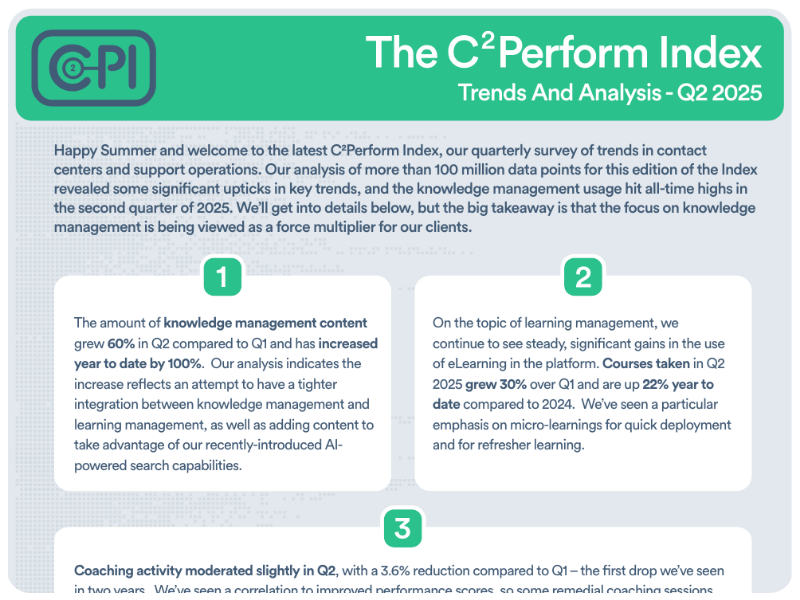
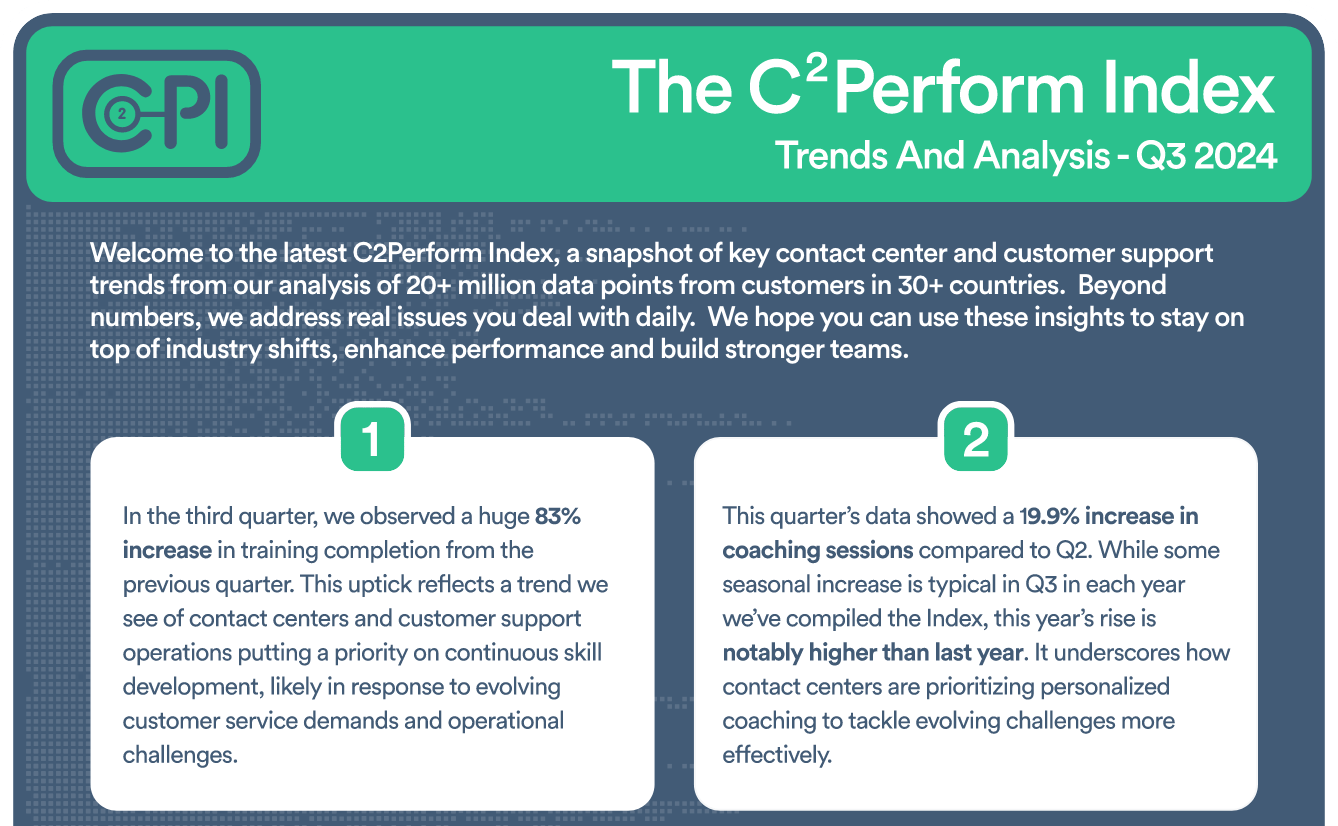
Insightful Analysis on Contact Center and Customer Support Trends

Check out our eBook, New Thinking About an Old Problem


Join contact center and customer support professionals around the world who can’t wait to see the C2PI every quarter.


300 Colonial Center Drive, Suite 100
Roswell, GA 30076
Copyright © 2026 C2Perform. All Rights Reserved. Privacy Policy Acceptable Use Policy