
 English
 Español
Contact Center QA Trend Analysis
Learn how to validate contact center QA trends, investigate what is changing, and turn quality findings into focused coaching, learning, and knowledge updates.
Read More
See how robotic process automation call center solutions streamline workflows, reduce errors, and help agents deliver faster, more consistent customer service.

Your agents are your greatest asset, but how much of their day is spent on tasks that don't require their talent? Manual data entry, toggling between screens, and copying and pasting information are necessary evils that drain time and lead to burnout. These repetitive processes are also prime opportunities for human error, which can frustrate customers and create rework for your team. Implementing robotic process automation call center solutions is about strategically removing that administrative burden. By letting software "bots" handle the predictable, rule-based work, you free your agents to focus on what they do best: solving complex problems and building genuine customer relationships.
Let’s clear up a common misconception: Robotic Process Automation (RPA) doesn’t involve physical robots taking over your contact center. Instead, RPA uses software "bots" to automate the repetitive, rule-based digital tasks that your agents perform every day. Think of it as a digital assistant that can handle things like data entry, updating customer records in multiple systems, processing orders, or managing support tickets.
The core idea is to take the predictable, high-volume work off your agents' plates. These are the tasks that don't require human judgment, empathy, or complex problem-solving but still consume a significant amount of time. By automating these processes, you free up your team to focus on what they do best: having meaningful conversations with customers and resolving their issues. This shift allows you to invest more in your team's growth through programs like Dynamic Coaching, turning good agents into great ones.
RPA bots operate at the user interface level, essentially mimicking the way a human interacts with applications. They can log into systems, navigate menus, copy and paste data, and fill out forms according to a pre-defined script. This allows them to handle simple, repeated tasks, freeing up your agents to focus on more complex problems that require empathy and critical thinking.
To make this happen, RPA integrates with your existing call center software, like your CRM or internal databases, often using APIs and established rules. For example, when a customer calls, a bot can instantly pull their entire history from different systems and display it on the agent’s screen. This ensures agents have the right information from your Knowledge Management system exactly when they need it, without having to search for it manually.
It's helpful to understand how RPA differs from other types of automation. Think of RPA as a digital assistant that’s excellent at following a very specific checklist. It’s designed to automate tasks that are rule-based and rely on structured data, like information organized neatly in spreadsheets or forms. If a process can be mapped out with a clear "if-then" logic, it's a great candidate for RPA.
However, traditional RPA is limited because it can't "think" or "learn" on its own. It struggles when faced with unstructured data or unexpected scenarios that fall outside its programmed rules. Modern business data is often messy and unpredictable, which is where more advanced AI-powered automation comes in. While RPA handles the "doing," AI handles the "thinking," and knowing the difference helps you apply the right tool for the right job.
Implementing RPA is about more than just automating a few tasks. It’s a strategic move to build a more resilient, efficient, and human-centric contact center. When you let software robots handle the predictable, rule-based work, you create space for your team to focus on what truly matters: solving complex customer problems and delivering exceptional service. This shift not only improves key metrics but also fosters a more engaging and rewarding environment for your agents. By streamlining workflows, you can respond to customer needs faster, operate with greater flexibility, and build a stronger foundation for growth.
One of the most immediate benefits of RPA is how it smooths out daily operations. Software robots are designed to execute simple, repetitive tasks that agents typically handle, like copying and pasting information between systems or filling out forms. By automating these processes, you reduce the chance of human error and ensure consistency across every interaction. This frees up your agents to apply their critical thinking and empathy to more challenging customer issues. The result is a more agile operation that can handle higher volumes without sacrificing quality, allowing your team to work smarter, not just harder.
Customers want their problems solved quickly and correctly on the first try. RPA helps you deliver on that expectation by speeding up routine processes that happen during a call. For example, a bot can instantly pull up a customer’s order history or open a new support case while the agent is still talking to the customer. This means less time spent on hold and faster resolutions. By automating common tasks, agents can immediately focus on understanding and addressing the customer's core issue, leading to a smoother, more satisfying experience that builds loyalty.
When you remove tedious, administrative work from your agents' plates, their job satisfaction naturally improves. No one enjoys spending their day on mind-numbing data entry. RPA lets your agents concentrate on the more meaningful, value-added parts of their role, like building rapport with customers and resolving complex inquiries. This shift makes their work more interesting and allows them to see the direct impact they have on customer happiness. Happier agents are more productive and more likely to stay with your company, which is why using the right engagement tools alongside automation is key to reducing turnover.
Robotic Process Automation excels at handling the predictable, rule-based tasks that take up a surprising amount of an agent's day. Think of all the clicking, copying, and pasting between different applications just to get a simple piece of information for a customer. These are the perfect jobs for software bots. By automating these high-volume, low-complexity processes, you free your team to concentrate on what they do best: solving complex problems, showing empathy, and building genuine customer relationships.
This shift doesn't just make your operations more efficient; it creates the space needed for meaningful agent development and performance improvement. When agents aren't bogged down by administrative work, they have more capacity for skill-building through programs like dynamic coaching and targeted training. Instead of spending their time on repetitive data entry, they can focus on applying new skills to handle challenging customer situations. This is how you transform your contact center from a cost center into a value-generating part of the business. The beauty of RPA is its ability to work with your existing systems, acting as a digital assistant for your team. Let's look at a few key areas where RPA can make an immediate impact, starting with the administrative tasks that every agent handles daily.
Manual data entry is a major source of agent frustration and operational errors. Every time an agent has to switch screens to copy and paste a customer's address or manually log call notes, it takes them away from the actual conversation. RPA uses software robots to handle these simple, repeated tasks with speed and precision. Bots can work directly with your existing systems, like your CRM, to automatically update customer records, log interaction details, and ensure information is consistent across platforms. This automation not only reduces errors but also frees your agents to give their full attention to the customer, leading to higher-quality conversations and more accurate data for your quality assurance tools.
How often do your agents answer calls just to check an order status or confirm an account balance? These simple, frequent lookups can consume a significant portion of your team's time. RPA is perfectly suited to handle these common tasks quickly and efficiently. A bot can instantly access information from multiple backend systems, whether it's a shipping database, a billing platform, or your product catalog, and deliver the answer to the agent in seconds. This allows your team to help customers faster and with greater accuracy. By standardizing these lookups, you also ensure every customer gets the same correct information, which is easier to maintain with a centralized knowledge management system that both bots and agents can rely on.
After-call work can often take as long as the call itself. Manually creating support tickets, sending follow-up emails, and updating case notes adds up, reducing agent availability. RPA can automate these entire post-call workflows. Based on the outcome of an interaction, a bot can automatically create a ticket in your helpdesk system, send a personalized confirmation email to the customer, and log the resolution details in the CRM. This automation ensures that follow-up actions are never missed, which builds customer trust and provides a consistent experience. It also significantly reduces after-call work, allowing your agents to be ready for the next customer more quickly and keeping all important updates organized within a central communications hub.
Implementing Robotic Process Automation in your contact center does more than just speed up a few tasks; it fundamentally reshapes the roles of your agents and the experience you deliver to customers. By automating the predictable, rule-based parts of the job, you create an environment where your team can focus on high-value interactions. This shift not only improves operational metrics but also leads to more meaningful work for your agents and more satisfying resolutions for your customers. It’s about creating a smarter, more human-centric workflow where technology handles the repetition, and people handle the relationships.
Imagine your agents no longer spending their day copying and pasting information between screens or filling out repetitive forms. RPA uses software bots to handle these simple, repeated tasks, freeing up your team to focus on what they do best: solving complex problems and connecting with customers. When agents can apply their critical thinking and empathy to challenging situations, their work becomes more engaging and fulfilling. This shift allows you to build a more skilled and resilient team, supported by Dynamic Coaching that hones their problem-solving abilities instead of just reinforcing basic processes.
What if you could reduce wait times and mistakes at the same time? RPA bots work around the clock to process requests, update records, and find information instantly. This speed directly translates to a better customer experience. Because bots can achieve nearly perfect accuracy on repetitive data tasks, there are far fewer errors that lead to frustrating follow-up calls. This improvement in precision is a cornerstone of effective Connected Quality Assurance, ensuring that standards are met consistently. The result is a smoother, more efficient operation that can respond to customer needs with greater agility.
Customers value reliability, and RPA is a powerful tool for delivering a consistent experience every time. It ensures that standard processes are followed the same way with every interaction, removing the variability that can come with human error. RPA acts as a bridge between your systems, pulling up the right customer history or the correct Knowledge Management article exactly when the agent needs it. This creates a seamless workflow for your team and a predictable, trustworthy experience for your customers, which is essential for building long-term loyalty.
Introducing any new technology comes with a few bumps in the road, and Robotic Process Automation is no exception. While the benefits are significant, a smooth rollout depends on anticipating and planning for potential hurdles. Thinking through these challenges ahead of time will help you build a more resilient and successful automation program. The most common obstacles usually fall into three categories: technology integration, team adoption, and ongoing maintenance. By preparing for these, you can ensure your RPA implementation delivers on its promise to make work easier and more efficient for everyone.
One of the first challenges many contact centers face is getting new RPA tools to communicate with existing legacy systems. It’s common for established operations to rely on older platforms that weren’t designed for modern automation, which can make integration difficult. You might run into issues with incompatible data formats or system interfaces that don’t easily connect. The key to overcoming this is thorough planning. Work with your IT team to map out every process and identify potential pitfalls before you begin. Choosing a flexible RPA solution and conducting a small-scale pilot can help you iron out the kinks without disrupting your entire operation.
Technology is only one part of the equation; your people are the other. Agents may feel anxious about automation, worrying that bots are there to replace them. An effective change management strategy is essential for getting your team on board. Communicate openly about why you’re implementing RPA and how it will free them up for more engaging work. Your team’s success hinges on their ability to work with the new tech. This requires more than a one-time training session. A continuous approach, supported by tools like a Learning Management system, ensures everyone feels confident and prepared.
RPA is not a "set it and forget it" solution. Your bots follow specific rules, and when applications or processes change, even slightly, the bots can break. This is a normal part of the automation lifecycle, but it requires a plan for ongoing maintenance. Think of your bots as digital employees who need regular care. You’ll need a person or team responsible for monitoring their performance and fixing issues as they arise. It’s also important to track why bots are failing to prevent future problems. Establishing clear governance from the start will keep your automation program running smoothly and effectively.
One of the biggest misconceptions about Robotic Process Automation is that it requires a complete overhaul of your existing technology. The reality is quite the opposite. RPA is designed to work with the systems you already use, acting as a digital assistant that bridges gaps between different applications. Think of software bots as the connective tissue that helps your CRM, WFM platform, and internal databases communicate with each other without needing complex, custom-coded integrations. This approach allows you to get more value from your current investments while streamlining workflows for your team.
Instead of replacing systems, RPA enhances them. The bots log in and operate your applications just like a person would, but they do it faster and without errors. This means agents don't have to spend their time toggling between screens, copying and pasting information, or performing manual updates. The goal is to create a unified desktop experience where information flows seamlessly, allowing your team to focus on the customer conversation. By connecting disparate systems, RPA lays the groundwork for a more efficient and data-driven operation. It ensures the information flowing into your performance management tools is accurate and timely, making it easier to identify trends and act on insights.
Your Customer Relationship Management (CRM) platform is the heart of your customer data, but keeping it updated can be a manual chore. RPA bots can connect directly with your CRM to automate these routine tasks. When a call comes in, a bot can instantly pull up the relevant customer record, saving the agent from having to search for it. After the call, the bot can handle all the wrap-up work, like logging call notes, creating a follow-up ticket, and updating the customer’s contact history. This ensures your CRM data is always accurate and complete without adding to your agent’s workload.
Consistency is key to delivering great service, and RPA can help enforce it. Bots can ensure agents always have the right information by automatically pulling approved articles from your Knowledge Management system based on the context of a customer query. This is especially important for regulated industries where using the correct, version-controlled information is a must. For quality assurance, RPA can automate the process of gathering interaction data, tagging calls with specific dispositions, and feeding that information into your Connected Quality Assurance program. This frees up your QA team to focus on meaningful coaching instead of manual data collection.
Many contact centers struggle with data silos, where information is trapped in separate, disconnected systems. RPA helps break down these walls by ensuring data is consistent everywhere. For example, when a customer updates their address, a bot can automatically push that change to your CRM, billing platform, and shipping software simultaneously. This eliminates the risk of human error and ensures every department is working with the same accurate information. This unified data provides a holistic view of performance, which is the foundation for fair and effective Dynamic Coaching that addresses the whole picture, not just isolated metrics.
Introducing new technology can feel like a huge undertaking, but a thoughtful training strategy makes all the difference. The success of your RPA program depends entirely on how well your team understands and adopts the new tools. This isn't just about teaching people which buttons to click. It's about managing change, building confidence, and clearly showing your agents how automation will help them focus on more meaningful, complex work.
A great training plan addresses both the "what" and the "why." It gives your team the practical skills they need while also explaining how RPA benefits them, the customer, and the entire organization. When agents see automation as a tool that helps them succeed rather than a threat to their role, they become active participants in the transition. This shift in perspective is critical. Without buy-in, even the most advanced technology can fail to deliver on its promise. By focusing on clear communication, hands-on practice, and ongoing support, you can turn potential resistance into enthusiastic adoption and ensure your RPA rollout is a success from day one.
Instead of overwhelming your team with a single, massive training session, break the learning process into manageable stages. A phased approach allows agents to absorb new information and build skills gradually. Start with the basics of how RPA will change their daily workflows and then move into more specific processes. This method helps build a solid foundation of understanding and prevents information overload.
Hands-on practice is essential. Use simulations to let your team work with the new tools in a risk-free environment. This allows them to make mistakes, ask questions, and get comfortable with the technology before it goes live. A structured Learning Management system is perfect for delivering this kind of phased training, allowing you to track progress and ensure everyone is up to speed.
Clear and consistent communication is the bedrock of any successful change initiative. From the very beginning, you need to explain why you're implementing RPA and what it means for your team. Frame the change around the positive outcomes, like reducing tedious tasks and creating more opportunities for agents to solve complex customer problems. When your team understands the vision, they are more likely to get on board.
Communication should be a two-way street. Establish feedback loops where agents can voice concerns, ask questions, and share their insights. This not only helps you identify potential roadblocks but also makes your team feel heard and valued. Using a central Communications Hub can ensure that every message is delivered consistently and that everyone has a place to find information and provide feedback.
Training doesn't end once the RPA system is live. To get the most out of your investment, you need a plan for ongoing development. Before you even start training, it’s a good idea to assess your team's current skills to identify any gaps. This allows you to tailor the initial training program to their specific needs.
After the rollout, use performance data to see how well the team is adapting. Are there common errors or sticking points? This information is invaluable for identifying where additional support is needed. You can then use Dynamic Coaching to provide targeted guidance and assign refresher training modules as needed. This approach turns training into a continuous improvement cycle, ensuring your team masters the new tools and continues to grow.
Once you’ve rolled out your RPA program, how do you know if it’s actually working? Implementing automation is just the first step; measuring its impact is what proves its value and guides your future strategy. Success isn’t just about bots completing tasks. It’s about seeing real, positive changes in your operations, for your customers, and for your team. By focusing on the right key performance indicators (KPIs), you can build a clear picture of your return on investment and identify opportunities for further improvement.
Tracking metrics is essential, but the data is only useful if you act on it. The most effective contact centers use performance data to fuel a cycle of continuous improvement. After you’ve gathered insights on how RPA is affecting performance, you can use a Dynamic Coaching platform to translate that information into targeted training and support for your agents. This ensures that both your technology and your team are working together to achieve your goals. The key is to look at a balanced set of metrics that cover efficiency, quality, and the overall human experience.
Two of the most immediate metrics you should see improve with RPA are First Call Resolution (FCR) and Average Handle Time (AHT). When bots take over repetitive tasks like looking up customer history or updating account information, your agents are freed up to focus entirely on solving the customer’s issue. This undivided attention means they are more likely to resolve the problem on the first contact, which is a huge driver of customer satisfaction.
Similarly, AHT should decrease as RPA automates the background work that used to eat up precious seconds on every call. Analyzing these KPIs at the agent level helps you see exactly where automation is delivering the biggest impact. If you notice that certain agents or teams aren't seeing the same improvements, it might signal a need for additional training or a closer look at their specific workflows.
Humans make mistakes, but well-programmed bots don’t. One of the biggest advantages of RPA is its ability to perform tasks with precision and consistency, which should lead to a noticeable drop in error rates. Whether it’s data entry, order processing, or updating a customer record, automation reduces the risk of manual slip-ups that can lead to rework and customer frustration. Tracking this metric provides clear evidence of improved quality.
For businesses in regulated industries, compliance is non-negotiable. RPA systems help you maintain and enhance compliance by ensuring that every automated process follows legal requirements and internal policies to the letter. This creates a reliable, auditable trail for every action taken. Combining this with a Connected Quality Assurance program allows you to monitor both automated and human-led processes, giving you a complete view of your operational integrity.
Ultimately, your RPA program should make life better for both your customers and your agents. Faster, more accurate service naturally leads to happier customers. You can measure this directly through metrics like the Customer Satisfaction Score (CSAT) and Net Promoter Score (NPS). When you see these scores rise after implementing RPA, you have a clear indicator that your investment is improving the customer experience.
At the same time, you should see a positive shift in agent productivity and engagement. By removing tedious, repetitive tasks from their plates, you allow agents to concentrate on more complex, rewarding work. This not only makes them more productive but also contributes to higher job satisfaction. Using Engagement Tools to track sentiment and morale can show you how automation is improving the employee experience from the inside out.
When we talk about automation in the contact center, the terms Robotic Process Automation (RPA) and Artificial Intelligence (AI) often come up in the same conversation. While they both play a role in creating more efficient operations, they aren't interchangeable. Think of it less as a competition and more as having two different, highly specialized tools in your toolkit. Understanding the unique strengths of each one is the key to deciding which to use and when.
RPA is the workhorse. It’s designed to mimic human actions to complete repetitive, rule-based tasks. It follows a script, just like a person would, but much faster and without errors. AI, on the other hand, is the brain. It’s built to simulate human intelligence, enabling it to recognize patterns, understand language, and make decisions. The real magic happens when you realize you don’t always have to choose between them. By strategically using RPA for straightforward tasks and AI for more complex challenges, you can build a truly intelligent automation strategy. This approach allows you to not only streamline workflows but also to turn operational data into targeted performance improvements through tools like dynamic coaching.
RPA is your best bet for automating tasks that are predictable and follow a clear set of instructions. According to Google Cloud, "RPA uses software robots (bots) to automate tasks that people usually do." Think about the high-volume, manual processes your agents handle every day, like copying and pasting customer information between systems or filling out forms.
These are perfect candidates for RPA because they don’t require judgment or interpretation. As Automation Edge puts it, "RPA is about automating rule-based, repetitive tasks with structured data (like spreadsheets). It's like a digital assistant following a checklist." If you can map out a process in a flowchart with simple yes-or-no decisions, it’s likely a job for RPA.
While RPA excels at execution, AI brings the intelligence. When you pair them, you create what’s known as Intelligent Automation (IA), a powerful combination that can handle much more complex workflows. In this partnership, "AI adds intelligence to RPA," helping the automation software understand unstructured information, learn from new data, and make smarter decisions.
For example, an AI tool could analyze an incoming customer email to determine its sentiment and intent. Then, it could trigger an RPA bot to open the right systems, pull up the customer’s history, and create a support ticket. This allows you to "automate entire processes, not just small, simple tasks." By integrating these technologies, you empower your bots to become stronger and your automation program to grow, creating a more seamless experience for both agents and customers.
Jumping into a new technology like Robotic Process Automation can feel like a huge undertaking, but a structured approach makes all the difference. Think of it as a journey with clear milestones rather than a single, massive leap. By breaking the implementation process into manageable phases, you can build momentum, demonstrate value early on, and ensure your team is ready for the change. This roadmap will guide you through the critical first steps, from initial planning to launching a successful pilot program that sets the stage for future growth.
A thoughtful strategy is about more than just installing software. It’s about fundamentally rethinking how work gets done in your contact center. It involves bringing your team along, showing them how automation can remove tedious tasks and free them up for more meaningful, customer-focused work. The goal is to create a sustainable automation practice that evolves with your business needs. By starting with a solid plan and a controlled pilot, you can build the confidence and gather the insights needed for a wide-scale rollout. This approach minimizes risk and maximizes your chances of achieving a rapid return on your investment, setting your contact center up for a smooth and effective transition.
Before you automate a single task, it’s essential to get a clear picture of your current operations. The first step is to thoroughly understand the existing business processes you’re targeting for automation. Map out your workflows, identify the repetitive, rule-based tasks that consume your agents' time, and pinpoint the biggest bottlenecks. Talk to your team to understand their daily frustrations and where they see opportunities for improvement. Once you know what to automate, you can define clear objectives. Are you aiming to reduce handle time, minimize errors, or free up agents for more complex customer issues? Setting these goals upfront will help you measure success later. This is also the time to assess the skills of your team and plan for any training they might need.
Instead of attempting a massive, center-wide rollout, start with a pilot program. A phased approach allows you to test the technology and your strategy on a smaller scale. Choose one or two processes that are relatively simple but have the potential for a significant impact. This allows you to work out any kinks and demonstrate a quick win, which helps build support for the broader initiative. Throughout the pilot, clear communication is key. Ensure your team understands the goals and how the changes will benefit them. Use this initial phase to measure your success criteria and gather feedback. Once you’ve proven the value of RPA with a successful pilot, you’ll have a solid foundation and a clear path to scale your automation across other departments and processes.
Will RPA replace our agents? Not at all. The goal of RPA is to make your agents’ jobs better, not to eliminate them. Think of software bots as digital assistants that handle the most tedious, repetitive parts of the job, like data entry or looking up order numbers. This frees your team to focus on what they do best: solving complex customer problems, showing empathy, and building relationships. It allows them to use their skills on more engaging work, which leads to higher job satisfaction and better service.
How do we know which tasks are best suited for automation? The best place to start is by looking for high-volume, rule-based tasks that don't require human judgment. A great way to find these is to ask your agents what parts of their day feel the most repetitive. Processes like copying and pasting information between your CRM and another system, sending standard follow-up emails, or checking an account balance are perfect candidates. If you can map out the steps in a simple flowchart, it's likely a great fit for RPA.
Do we need to overhaul our existing technology to implement RPA? No, and that’s one of the biggest advantages of RPA. It’s designed to work on top of the systems you already have in place. The software bots interact with your applications at the user interface level, just like a person would. They can log in, navigate menus, and transfer data between your CRM, internal databases, and other platforms without needing deep, complex integrations. This allows you to get more value from your current tech stack.
What's the real difference between RPA and AI? It’s helpful to think of RPA as the "hands" and AI as the "brain." RPA is excellent at following a specific set of instructions to execute a task, like a digital assistant following a checklist. It handles the "doing." AI, on the other hand, is designed to simulate human intelligence. It can understand unstructured information, recognize patterns, and make decisions. It handles the "thinking." While they are different, they work incredibly well together to automate more complex, end-to-end processes.
How do we get our team to embrace this change? Open and honest communication is key. It’s important to frame RPA as a tool that will help your team, not replace them. Explain how it will remove frustrating, manual work and create more opportunities for them to focus on meaningful interactions. Involve them in the process by asking for their input on which tasks should be automated. When your team sees automation as a way to make their jobs easier and more rewarding, they are far more likely to become enthusiastic supporters of the change.
Check out our eBook, New Thinking About an Old Problem


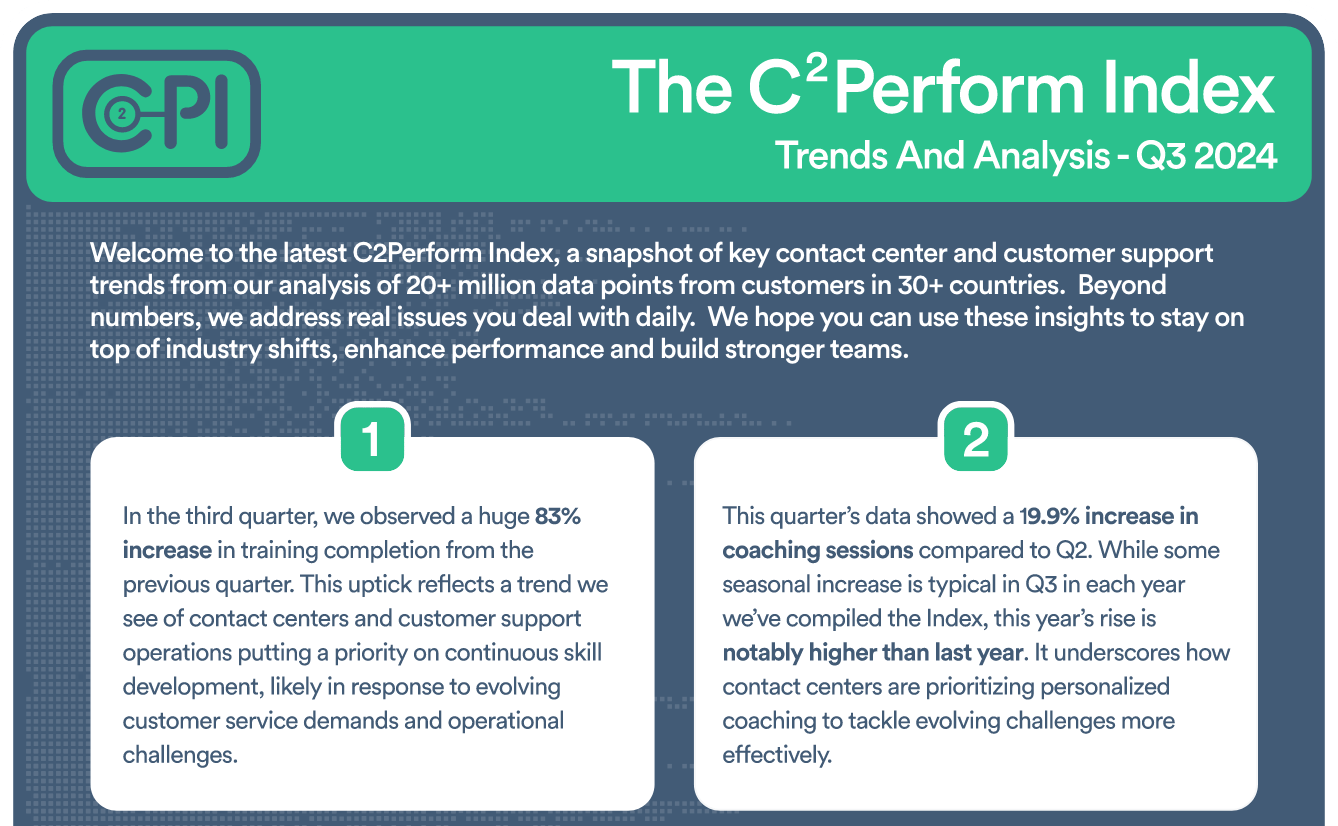
Join contact center and customer support professionals around the world who can’t wait to see the C2PI every quarter.


300 Colonial Center Drive, Suite 100
Roswell, GA 30076
Copyright © 2026 C2Perform. All Rights Reserved. Privacy Policy Acceptable Use Policy