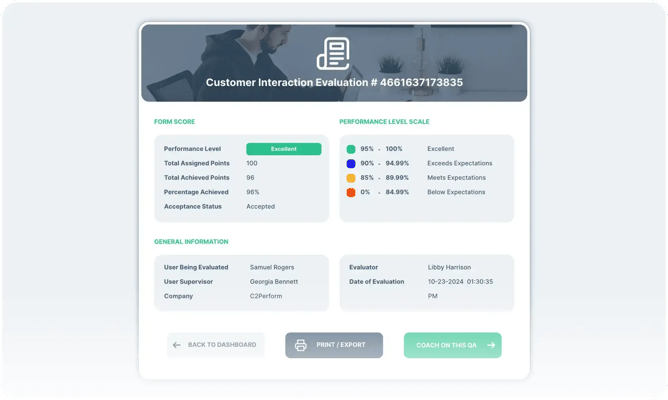
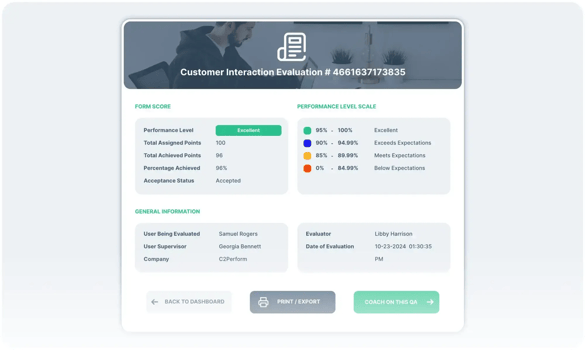
A call center analytics dashboard should do more than display a wall of metrics. It should help a supervisor understand what is happening, decide which issue deserves attention, and connect that decision to coaching, learning, knowledge, or quality work. The best design gives each audience a clear view of the signals they can influence without losing the context behind them.
Schedule Demo
This guide explains how to design a practical dashboard for contact center and back-office operations. It covers audience needs, metric selection, drill-downs, governance, accessibility, and the operating process that turns an insight into an action. It also explains why analytics should support whole-person coaching rather than reduce an employee to a single score.
What should a call center analytics dashboard help a supervisor decide?
A useful dashboard helps a supervisor identify a meaningful signal, understand its context, and choose a specific next action.
Supervisors rarely need more information for its own sake. They need a reliable way to answer practical questions during the working day:
- Which team, queue, or workflow needs attention first?
- Is the signal isolated to one interaction, one employee, one process, or a broader group?
- Does the issue point to a knowledge gap, a skill gap, a process problem, or a quality risk?
- What evidence should be reviewed before a coaching conversation?
- How will the team know whether the selected action helped?
This makes the dashboard an operating surface rather than a reporting archive. A manager can begin with a high-level view, select a relevant area, review supporting evidence, and move into the appropriate workflow. That workflow may include a coaching note, an assigned learning activity, an updated knowledge article, a quality review, or a follow-up conversation.
A useful design separates signal from interpretation. A change in an outcome measure is a reason to investigate, not proof of an individual failing. The dashboard can show what changed, where it changed, and which records support the observation. The supervisor still decides what the evidence means and what conversation is appropriate.
Interaction data can reveal an opportunity. Coaching considers the whole employee, including attendance patterns, career development, prior feedback, and any active performance or disciplinary plan. A dashboard should inform that conversation, not make it for the supervisor. This distinction protects fairness and makes coaching more useful than a score-based correction.
For a broader view of the platform context, see C2Perform’s contact center performance management platform. The dashboard is one part of a connected operating model that complements existing contact center, customer relationship, and workforce management systems.
Who needs to use the dashboard, and what should each person see?
Dashboard views should be role-based: executives need patterns, operations leaders need priorities, supervisors need evidence, and specialists need an actionable work queue.
A single universal dashboard often serves no audience well. Design the information hierarchy around the decisions each role owns. The underlying data can remain connected while the presentation changes by audience. A leader may need a trend by business unit, while a supervisor needs interaction evidence and an open follow-up task.
| Audience | Primary question | Useful dashboard view | Next action |
|---|
| Executive sponsor | Where is performance becoming less consistent? | Trend summary, segment comparison, strategic risks | Set priorities and confirm ownership |
| Operations leader | Which workflow needs intervention? | Team patterns and unresolved priorities | Coordinate resources and review progress |
| Frontline supervisor | What should I discuss with an employee? | Employee context, supporting interactions, recent actions | Coach, reinforce, or assign learning |
| Quality professional | Where is review evidence needed? | Sampling queues, themes, calibration notes | Review evidence and connect findings to action |
| Knowledge manager | Which content may be unclear or outdated? | Search themes, repeat questions, content feedback | Review, update, approve, or retire content |
| Learning professional | Which capability needs reinforcement? | Skill themes and completion context | Build or assign targeted learning |
Start with the supervisor view because it is closest to the moment when insight becomes action. Then create summary views for leaders and specialist views for quality, knowledge, and learning teams. Keep role permissions clear. A user should see enough context to perform the role without receiving unnecessary personal or sensitive information.
Role design also prevents a common failure: asking one screen to serve reporting, investigation, and task management at the same time. An executive summary can emphasize direction and exceptions. A supervisor workspace can emphasize recent evidence and open commitments. A knowledge workspace can emphasize content ownership and approval history. Each view can link to the next layer without reproducing every field.
This matters in insurance claims, underwriting, and regulated back-office work. A leader may need a process-level trend, while a supervisor needs an employee-level coaching record. Those views should be connected but governed differently. Teams responsible for frontline support can review tools for contact center supervisors when deciding which actions belong in the supervisor workspace.
Which metrics belong on a call center analytics dashboard?
Choose metrics by the decision they support, and balance outcome measures with quality, behavior, knowledge, learning, and employee context.
Begin with operational questions rather than a list of available fields. For every proposed measure, write down the decision it should inform, the person who owns that decision, and the evidence needed to interpret it. If a measure has no clear decision or owner, it may belong in an analysis view rather than on the primary dashboard.
- Customer and workflow outcomes: first contact resolution, repeat contact patterns, completion quality, escalation themes, and service-level trends.
- Quality signals: sampled evaluation results, critical-error themes, calibration observations, policy adherence, and evidence from reviewed interactions.
- Knowledge signals: repeated questions, unsuccessful searches, content feedback, article usage, and topics that lead to transfers or follow-up work.
- Learning signals: assigned learning, completion status, assessment themes, refreshers due, and later observations.
- Coaching signals: open actions, completed follow-ups, recurring themes, agreed goals, and notes that show continuity.
- Employee context: tenure, role, schedule context, development goals, and existing performance plans where appropriate.
Pair leading and lagging signals. An outcome measure tells a team what happened. A knowledge search pattern, coaching theme, or learning observation may help explain why. Showing both supports a better intervention than placing an outcome in isolation. For example, repeat contacts paired with unsuccessful searches may point to findability or content clarity. Repeat contacts paired with a process change may require workflow support rather than individual coaching.
Do not treat every measure as a verdict. A handle-time change can reflect a complex customer issue, a new workflow, or a knowledge article that needs revision. A quality result can reflect a sampling decision or a calibration question. Context protects supervisors from premature judgments.
Quality data is useful when it leads to a targeted response. Statistically valid sampling can provide meaningful insight without requiring every interaction to receive a formal score. Show what was reviewed, how evidence was interpreted, and what action followed. Automated scoring should not be presented as a substitute for professional review. The National Institute of Standards and Technology provides a public reference point for managing risks in artificial intelligence systems; its risk-management guidance is useful when teams use automated analysis and need to define human oversight.
Use thresholds carefully. A threshold should trigger a review question, not an automatic label. Document whether it is intended for discovery, prioritization, or escalation. Give supervisors a way to record why a signal was not acted on, because an exception may reflect valid context rather than missed work.
For practical guidance on connecting quality evidence to improvement, explore quality assurance tools for teams and closed-loop quality assurance.
How should the dashboard connect metrics to coaching, learning, and knowledge?
The dashboard should create a closed loop from signal to evidence, evidence to an assigned action, and action to a follow-up review.
A metric becomes operationally valuable when a supervisor can act without copying information into disconnected spreadsheets or messages. Build a clear path from each major signal to the work that resolves it.
- Detect: identify a trend, exception, or recurring theme that warrants attention.
- Validate: review the supporting interaction, record, workflow step, or quality observation.
- Diagnose: decide whether the need is knowledge, skill, process, communication, or broader performance support.
- Act: create a coaching action, assign learning, update knowledge, request quality review, or route the issue to an owner.
- Follow up: revisit the evidence and record whether the action addressed the original need.
Consider a supervisor who sees a recurring question about a claims procedure. The response may not be a corrective conversation with every employee. The pattern could indicate that the knowledge article is difficult to find, uses unclear language, or lacks a decision example. The dashboard should help distinguish an individual capability issue from a shared knowledge issue.
When the issue is a capability gap, connect the observation to focused learning rather than a generic course. When it is a knowledge gap, make the content change visible to the people who need it. When it is a quality concern, retain the evidence and review path. Accurate, findable knowledge helps agents provide correct information during the first interaction.
A good action record answers five questions: what prompted the action, who owns it, what support will be provided, when will it be reviewed, and what evidence will show progress? These fields keep the dashboard from becoming a one-way alert system. They also make handoffs clearer when a supervisor, quality professional, knowledge manager, and learning partner share responsibility.
Relevant workflows can be supported through call center coaching software, a contact center learning management system, and knowledge management for support teams. Keep evidence and action connected rather than creating more destinations.

What drill-downs make a dashboard useful without making it overwhelming?
Use progressive drill-downs so a user starts with a clear priority and opens deeper evidence only when needed.
The first screen should answer what needs attention. It does not need every available dimension. A practical drill-down structure moves through these layers:
- Portfolio view: overall themes, emerging risks, and areas needing leadership attention.
- Team view: comparison across queues, workflows, shifts, or operational groups.
- Theme view: the quality, knowledge, learning, or process topic behind the pattern.
- Evidence view: sampled interactions, notes, content references, and review history.
- Action view: assigned owner, due date, coaching record, learning activity, or content task.
Each layer should preserve the filters that led the user there. If a supervisor selects a workflow and a theme, the evidence view should make those selections visible. Hidden filters create confusion and weaken trust. Include a clear way to reset the view, return to the prior layer, and see whether the data is current.
Use plain labels and meaningful defaults. “Repeat contact theme” is more useful than an internal field name. Explain definitions near the metric, especially when a measure could be interpreted in more than one way. Show the period, population, source, and refresh status when those details affect interpretation.
Design the page around attention. Put urgent or unresolved work where the user expects to find it, group related signals, and reserve visual emphasis for a meaningful exception. A dashboard full of equally bright warnings teaches users to ignore all of them. Include short explanatory text for unusual changes, but keep the detail available through drill-down rather than placing a long narrative on the first screen.
Design for accessibility and working conditions. Supervisors may review the dashboard between conversations, on a smaller screen, or while supporting a distributed team. Prioritize readable text, sufficient contrast, clear status indicators, and keyboard-friendly interaction. Charts should not rely on color alone to communicate meaning. Tables and text summaries can provide an alternative for users who cannot interpret a visual quickly.
Teams assessing their technology environment can use contact center software integrations to consider which systems should supply evidence and which should own the next action.
How should teams govern dashboard data and content?
Governance should make each important metric traceable, each knowledge change reviewable, and each action accountable to an owner.
Trust is part of dashboard design. Users need to know where a measure came from, when it was refreshed, how it was defined, and who can change the underlying rule. Establish governance before expanding the dashboard.
Document the following for each important measure:
- Definition and business purpose.
- Source system and required fields.
- Population, exclusions, and refresh behavior.
- Owner responsible for interpretation.
- Thresholds or review guidance, if used.
- Access rules and retention expectations.
- Known limitations and appropriate cautions.
Apply the same discipline to knowledge content. Version control should show who created, changed, and approved an article. It should identify the current version and preserve a useful history of earlier versions. This visibility matters in regulated operations because a team may need to explain which guidance was available when a decision was made.
Keep governance practical. A long approval chain can delay a necessary correction, while no approval process can allow inconsistent guidance to spread. Define which content requires specialist review, which changes an approved owner can handle, and how urgent corrections are communicated. Give the dashboard a visible content owner and a review cadence so stale definitions do not quietly become accepted truth.
Privacy and access deserve specific attention when employee-level information appears. Show the minimum information needed for the role, separate coaching context from broad summaries, and ensure exports follow the same access expectations as the dashboard. Access should be reviewed when responsibilities change, not only when the dashboard is first launched.
For deployment planning, IT guidance for secure SaaS deployment can help frame questions about access, integrations, and operational ownership. Governance is strongest when business owners, quality specialists, knowledge leaders, learning professionals, and IT agree on those responsibilities before the first release.
How can leaders launch a dashboard that people will actually use?
Launch with a small set of decisions, test the workflow with supervisors, and expand only after users can move from insight to action confidently.
Introduce the dashboard as part of an operating routine, not as a software handoff. Begin with a recurring decision that currently depends on scattered reports or manual investigation. Define the evidence needed, decision owner, and expected next action.
- Map the current decision: document how a supervisor finds a signal, verifies it, and records follow-up.
- Choose a focused first view: include only the measures needed for that decision and make definitions visible.
- Test with real users: ask supervisors to find a priority, explain what they see, and complete the next action.
- Resolve trust gaps: correct data definitions, permissions, missing context, and unclear ownership before broad rollout.
- Set a review rhythm: examine whether the dashboard produces useful coaching, learning, knowledge, and quality actions.
- Expand carefully: add audiences and measures when they support a documented operational need.
For example, a pilot team might review recurring repeat-contact themes each week. A supervisor checks a sample of supporting records, the knowledge owner checks whether guidance is findable, and the learning lead decides whether a focused refresher is warranted. At the next review, the team checks whether the original theme remains and whether the assigned work was completed. This small operating loop tests both the data and the handoffs.
Use a second example to test a different path. Suppose one workflow shows weaker completion quality while the team’s knowledge searches remain successful. A supervisor can review the relevant interactions, a quality professional can confirm the observation, and a learning professional can identify the skill to practice. If the issue appears only after a process change, the operations owner may need to revise the workflow instead of assigning individual learning. The dashboard should make these alternatives visible.
Training should focus on interpretation and action. Show supervisors how to review evidence, ask a fair coaching question, assign suitable support, and record follow-up. Explain what the dashboard cannot establish on its own. This protects employee trust and improves management conversations. Include practice cases that require the user to choose between coaching, learning, knowledge maintenance, quality review, and process escalation.
Use feedback to improve the dashboard itself. Ask whether users can find information, understand definitions, access recommended actions, and see whether resulting work addresses the issue. A technically accurate dashboard that users ignore needs a design change, not another page of metrics.
Set a review agenda for the first release. Discuss which signals led to action, which required more context, which alerts were ignored, and which handoffs stalled. Then remove fields that do not support a decision and improve the paths that users actually need. This keeps the dashboard focused as operations change.
Organizations supporting insurance operations can review claims performance management and underwriting quality tools when mapping specialized workflows. These capabilities complement core claims and policy systems rather than replace them.
Explore ways to connect analytics to action
Frequently Asked Questions
What is the main purpose of a call center analytics dashboard?
Its main purpose is to help leaders and supervisors interpret operational evidence and choose a focused next action. It should connect trends to review, coaching, learning, knowledge, or quality workflows.
Should a dashboard show every available contact center metric?
No. Show measures that support a defined decision, then provide progressive drill-downs for context. Too many measures can hide the priority and slow interpretation.
Can analytics replace supervisor coaching?
No. Analytics can identify evidence and recurring themes, but coaching requires a human conversation that considers the employee’s broader context, development, and performance history.
How can dashboard data improve first call resolution?
It can reveal repeated questions, unsuccessful searches, and knowledge themes. Teams can improve content and reinforce learning so agents can find accurate guidance during the first interaction.
What should be governed when a dashboard includes knowledge content?
Govern content definition, owner, approval path, version history, access rules, and change record. Users should be able to identify the current version and who approved it.
A well-designed dashboard gives each role a clearer path from evidence to responsible action, helping contact center and back-office teams turn complexity into consistent performance.

 English
 Español